Back to Vinyl, Again

by James Wallace Harris

Decades ago, I donated hundreds of LPs to the library after realizing I hadn’t played them in years. At the time, I had almost two thousand CDs. This was around the turn of the century, before streaming but after MP3s. It was obvious that LPs were an outdated technology. They were inconvenient to use.

About a decade later, when I heard about the vinyl revival, I got intrigued when enthusiasts claimed analog sounded better than digital. At the time, I was chasing hi-rez audio with SACDs. I bought a turntable and a few LPs. I was disappointed with both formats. Although they sounded different, I didn’t feel a night-and-day difference. I quit buying SACDs and gave my turntable and LPs to a friend.

My theory was that either I didn’t have expensive enough equipment to hear the difference, or my ears were old and I couldn’t hear the difference.

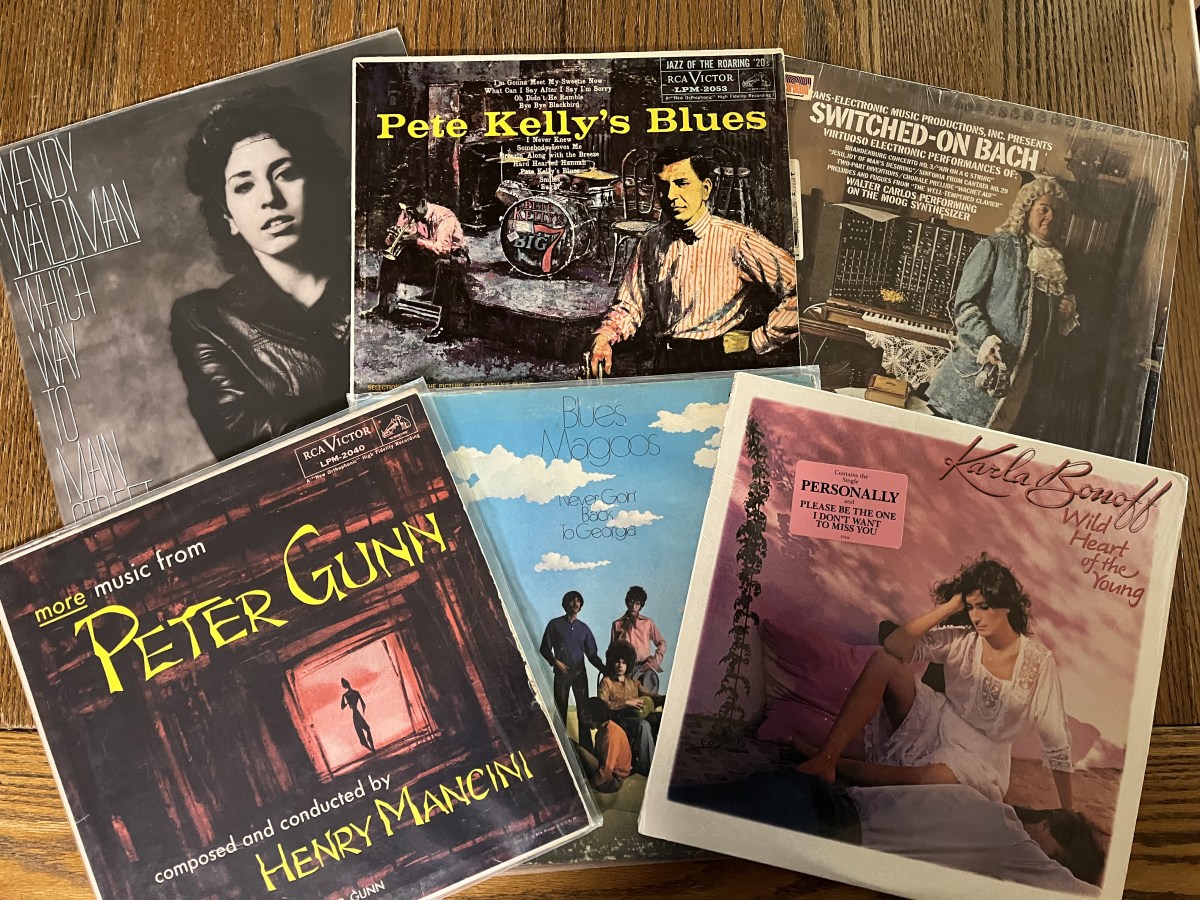
A few years later, I bought another turntable, a much cheaper one, when I discovered the library bookstore was selling old LPs for 50 cents each. I’d buy $10 worth at a time of old records from the 1950s and 1960s. Each time, I’d pick albums that I’d never heard of before, just for fun. But after buying about sixty albums and only finding a couple of gems, I stopped. By the way, one gem was the soundtrack to Pete Kelly’s Blues. I also ordered from Discogs a few favorite albums that I never found on streaming.

However, the deficiencies of the LP format kept annoying me. The pops, hiss, crackles, and skips. Also, I’d have to get up every time I want to hear something different. Streaming is just so damn convenient. So I packed up the turntable and put it in the closet and shelved the records.

Several months ago, I decided I needed to get rid of stuff because I’m getting old and need to manage fewer possessions. I gave away the turntable, but for some reason, I couldn’t part with the records.

Then, a few weeks ago, I had a realization. I missed shopping for records. Starting in 1965 and until streaming killed the record store, I would shop once a week and usually buy one or more albums. That gave me great pleasure. I suddenly wanted that again. I guess it was nostalgia, but I also missed having a reason to get out of the house.

I bought another turntable, the third, since the vinyl revival. This time, a slightly better one, which I plugged into my Audiolab 6000 phono stage. The combination sounded great. And I started shopping for records. It’s different this time. It means going around town looking at used records. Memphis has a few record stores in rundown buildings and some antique malls with a couple of vendors who sell LPs. A few places like Target sell new records, but the selection is very limited and the albums are very expensive.

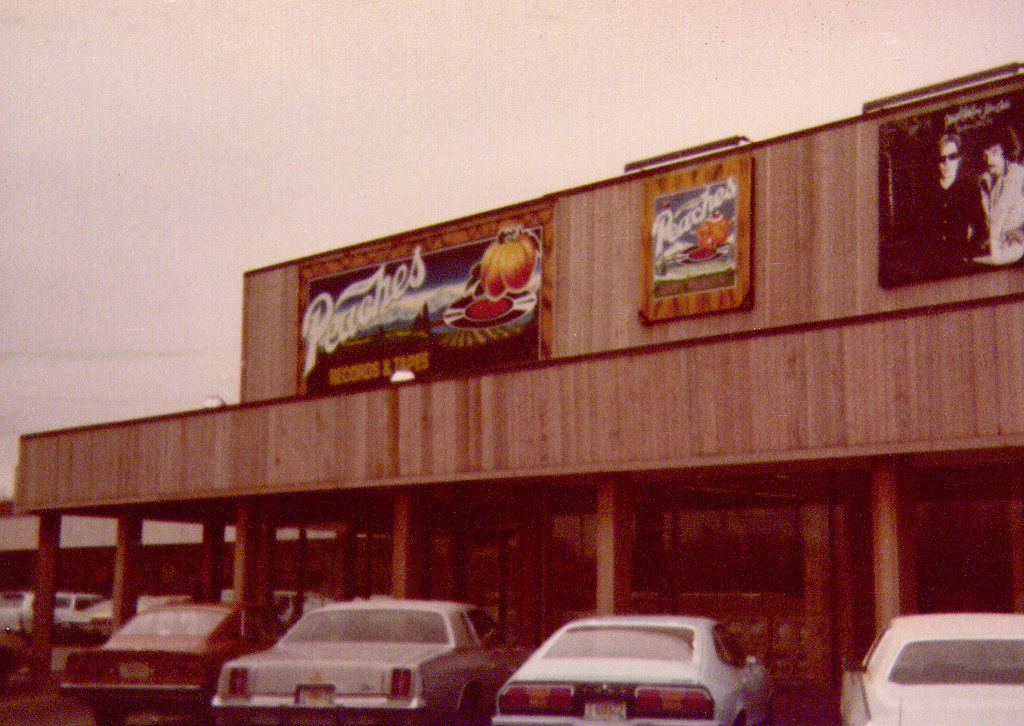
It’s not the same as the old days when I shopped at Peaches. I do feel a bit of the old thrill flipping through the bins, hoping to find an LP that will turn out to be a new favorite. I loved finding an album I would play over and over for a couple of weeks. I still do that with streaming, but so far haven’t in record stores.

The temptation is to look for used copies of old favorite albums, but I decided against that. I make myself buy unknown albums, ones I missed decades ago, hoping to discover an overlooked gem. So far, no luck.

I’ve been lucky at Shangri-la Records in getting old albums in great shape and with little surface noise. But my other sources haven’t been so good. Paying $9 for an unknown jazz trio and having it play with lots of pops and crackles is disappointing. I like the music of The Don Scaletti Trio, but I’d like them more without the extra sounds. Interestingly, this group isn’t available on Spotify to hear clearly.

I doubt I will buy many albums. I will risk buying some new albums by current artists. I’ve been watching record reviewers on YouTube, and there are zillions of albums to try. There seems to be a world of new music that I never noticed.

If I wasn’t trying to recreate an old joy, I wouldn’t mess with vinyl. CDs sound better, and streaming is just too damn convenient. I’m going to allow myself to buy an occasional album, new or used, to recreate a ritual I fondly remember from when I was younger. That ritual involves shopping for the album, and then sitting in a chair and doing nothing but listening to the two sides of the album for the first time while studying the cover.

Mostly, I listen to music via playlists on Spotify. I listen to music like most people do when watching a movie at the theater. It’s the only thing I do. All my attention is on the music. I prefer playing songs from playlists because I’m not interrupted, and every song is one I know I love. However, I think it’s important to sometimes listen to whole albums. LPs are good for that because it’s inconvenient to listen to specific songs.

When I was young, I used to listen to albums with friends. But I have no one who wants to do that anymore. Actually, most of my friends have stopped listening to music. Some still go to concerts, or to bars to hear tribute bands play their favorite music from decades ago. A few have a handful of songs they listen to on their phone as background music while they work around the house. I’m not sure streaming was the main reason why record stores died. My generation, which grew up buying LPs, stopped buying. And newer generations never developed the habit.

I feel lonely regarding my love of music. When I shop for records, I seldom see other people. When I do, it’s usually old guys like me. I know some young people do buy records because of the vinyl revival, but I don’t see them.

JWH

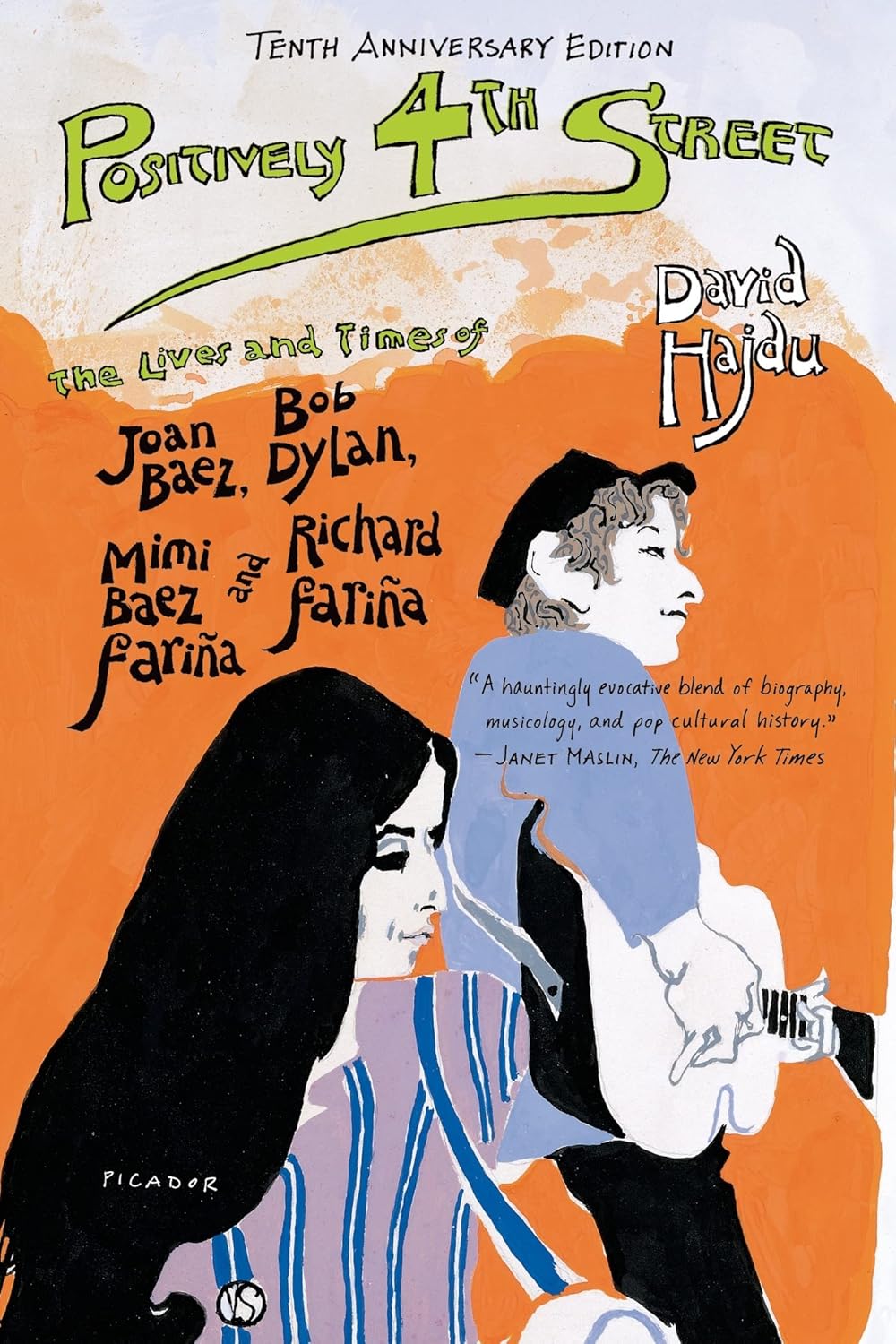
POSITIVELY 4TH STREET by David Hajdu

by James Wallace Harris, 6/10/25

2025 is the 60th anniversary of my living through 1965. I discovered Bob Dylan in 1965 when “Like a Rolling Stone” came on Top 40 AM radio. That was when rock and roll matured, becoming rock. I’ve never been able to forget the sixties. That’s mainly because I was an adolescent during that decade, and few people can forget their adolescence. To compound the biological factor, we were Baby Boomers, believing the whole world was watching us lead some kind of revolution.

I thought Bob Dylan epitomized the decade when I was a teenager growing up with his albums The Freewheelin’ Bob Dylan in 1962 through Nashville Skyline in 1969. I’ve been listening to those albums for sixty years, and I’ve read a lot about Bob Dylan. He wasn’t my hero, but someone I admired and envied. While watching the recent film A Complete Unknown, I couldn’t help but feel they got everything wrong. Although the film and acting were dazzling.

Bob Dylan is legendary for hiding behind a mask. He has always worn an enigmatic persona. I think to understand Dylan requires not looking directly at Dylan but at everything that surrounded him and how he reacted. Of course, that belief may only be a delusion on my part, and it’s impossible to know the man.

Of everything I’ve read, Positively 4th Street by David Hajdu provides the best account of Dylan, Baez, and the Folk Revival movement of the late 1950s and early 1960s. I just reread it for the third time because it was selected by my nonfiction book club. I assume the others voted for it because of the film A Complete Unknown. This 2001 book is out of print except for Kindle and audiobook on Amazon.

A Complete Unknown claims Dylan broke with the Folk Music crowd when he went electric. Positively 4th Street documents how he left Folk Music with his second album, The Freewheelin’ Bob Dylan. The Folk Music Revival was about rediscovering, recreating, and reinterpreting historical music from many subcultures and countries. As soon as Dylan and others started writing their own songs, they became singer-songwriters. That was a new music genre. Those artists left folk music behind, and changed pop music, and rock and roll.

The Sixties can be remembered in many ways. There was a great deal of turbulent political change. Many histories of the Sixties are quite ugly. But the counterculture remembers it as a transcendental revolution. I did for most of my life. On this third reading of Positively 4th Street, I’m seeing evidence that undermines that perspective.

In my book club’s discussion group, David wrote:

I almost gave up on Positively 4th Street because of the gossip and drama described in the personal lives of some of my most admired musicians who were icons of the age of the folk era in the late 50s and early 60s.


I am not one for gossip that appears in People Magazine and ET describing the drama of celebrities, but when I learn about the personal lives of some of the great artists I wonder how they ever produced things of such beauty, truth, and goodness.


So I got thinking, is “narcissistic arrogance” a necessary ingredient for a person to create great art?

My reply was successful people often come across as assholes because of their relentless self-promotion. After reading David’s comments, I paid attention to their validity while rereading the book. It became quite apparent that these icons of the Sixties were chasing fame and fortune first. To reach the top of the creative heap means brutal competition. That often meant demeaning their peers. I need to rewatch A Complete Unknown to see how it interprets this aspect.

To think Dylan broke with the Folk Music Revival crowd when he went electric in 1965 is to miss the mark by a mile. Dylan had already blown through several artistic phases by 1965. Who can imagine where the man is at sixty years later.

I was thirteen when I first heard “Like a Rolling Stone.” I thought it would be fantastic to become a singer-songwriter like Dylan, or an astronaut like Wally Schirra, or a science fiction writer like Robert A. Heinlein. I couldn’t imagine what it would take to become successful like those famous men. Years later, I learned I didn’t have what it takes, but more importantly, I didn’t really want to be successful like Dylan, Schirra, and Heinlein. Reading Positively 4th Street reveals the low-level personality details I didn’t understand at thirteen.

Positively 4th Street is a wonderful, detailed history of a tiny creative scene that occurred from 1959 to 1966. David Hajdu culled the significant facts to tell this history, making it vivid and maybe even somewhat close to the truth.

While reading, I’ve listened to the folk albums mentioned in the book, and I’ve discovered that I don’t particularly like songs from the folk music revival. They are historically interesting, but they don’t press my emotional buttons like rock and roll or classic rock. It’s understandable why Dylan quickly fled the movement. The Beatles and the British Invasion buried the Folk Music revival.

Still, Positively 4th Street is an engaging history to read.

JWH

Reading History Books About Events I Originally Watched on Television

by James Wallace Harris, 12/8/24

The 1960 U.S. presidential election is the first one I remember, but just barely. I was eight years old. My father was for Nixon and my mother for Kennedy. I decided I liked Kennedy because he was younger, more dynamic and had a good-looking wife. Even at eight, good looking women were often a deciding factor. I remember getting in a fight in the school playground because I was for Kennedy and the other kid was for Nixon. Neither of us got to decide the issue because a teacher pulled us apart.

During the Kennedy years I didn’t watch TV news. I would sometimes stay home from school to watch the Mercury space launches. Back then the TV news departments of each network would take over all broadcasting. In the first half of the 1960s, the space program was about the only real-world activity I paid any attention to.

I did pay some attention during the Cuban Missile Crisis in 1962, mainly because I lived on Homestead Air Force Base, and everyone talked about it constantly. I remember having duck and cover drills at Homestead Air Force Base Elementary, but I was disappointed when there were no real A-bombs dropped. (I was very immature for my age.)

I didn’t become a news watcher until Kennedy’s death. I remember that weekend, my family watched the news constantly, and the following week too. That’s when I started following Walter Cronkite. I turned twelve three days after Kennedy was shot.

The news also became exciting in February of 1964 when The Beatles came to America. It was during 1965 that older boys I knew began worrying about being drafted, and I started paying attention to news about Vietnam.

The CBS Evening News was my main source of information about life beyond my own little world during the 1960s. I sometimes got to see The Today Show on NBC because my mother watched it while making breakfast. I liked that show because I found Barbara Walters hot. (Okay, I’ve already said I was a weird kid.) Sometimes I would watch news specials or documentaries. While in the ninth grade (1965-66) I had a civics course. But for the most part I just wasn’t that aware of what was going on in the world except for Top 40 AM music.

I don’t remember reading the paper, The Miami Herald, until 1968. I did start to read magazines in 1965, but that was haphazard. People would give my parents copies of Life, Time, Newsweek, Look, Saturday Evening Post, and National Geographic from time to time, and I found them fascinating. On my own, after 1965, I would buy Popular Science, Popular Mechanics, and MAD Magazine. During twelfth grade (1968-69) my English teacher got me interested in literary fiction, and I subscribed to Saturday Review with money I made from working in a grocery store. I really didn’t understand it though. In late 1968 or early 1969, I got hooked on Rolling Stone magazine and sometimes bought Creem when it started publishing.

A whole lot of what I knew about the counterculture came from Life Magazine.

If you think about it one way, television and magazines offered a fairly diverse view on what was happening in the world, but squinted at it another way, it was a rather limited view.

In December 2024, I’ve been reading three books about the 1960s that explore events I encountered in two minute stories on TV, or read about in a few pages in a magazine when they first happened. Some of those short snippets of current events made huge impressions on me as a kid. They shaped who I thought I was. The history books makes me realize I was mostly uninformed.

The reality of the 1960s is I was a kid going to school every day except for long summer vacations. I started 1960 in New Jersey but moved to Mississippi then to Florida then to South Carolina back to Florida, then Mississippi again, and back to Florida. I went to thirteen different schools during the 1960s. The only newsworthy event I saw live was the launch of Apollo 8. I had a chance to see Kennedy in 1962 when he came to Homestead Air Force Base. They let us out of school to see him, but me and my friends went fishing instead. My sister was at Dinner Key Auditorium when Jim Morrison flashed the crowd. I got to meet an astronaut in 1968, but I’ve forgotten which one. And this is hardly newsworthy. I got to see Cream play during their farewell tour in 1968. Oh, and I attended one SDS rally.

In other words, I experienced the legendary Sixties mostly via AM radio, television, and magazines. I did have long hair sometimes, and I sometimes messed around with drugs, but I was hardly a hippie or a radical. I did get into the counterculture more in the 1970s, but that’s another story.

The point of this long-winded essay is I’m now reading history books about years I lived through. I can contrast my memories to behind the scenes accounts of things I got from soundbites. That’s quite enlightening.

We live with the illusion that we think we understand what is real and true. We delude ourselves that we make decisions on relevant information. But we don’t. If I could have read the history books about the sixties I’m reading in old age when I was young, I could have gotten closer to seeing reality.

Timothy Leary and Aldous Huxley, two heroes of my youth, claimed that LSD opened the doors of perception, and that might be true on a nonverbal level, but a deep reading of history books is far greater at revealing reality that we can comprehend on a verbal level.

Lately, I’ve been reading that reading is going out of fashion with young people. That’s a shame. Even back when I was a teen, and only got superficial understandings about the events around me from superficial news sources, it did make me more aware.

The three books above are filling in details on things happening around me as I was growing up. I’m reminded of Bob Dylan’s “Ballad of the Thin Man.”

I realize I’ve been Mr. Jones my whole life, and I’m still trying to figure out what happened.

JWH

Meditating on a Meme

by James Wallace Harris, 11/28/24

Seeing the above photos as a meme on Facebook made me think about how much people, society, and pop culture changed in the 1960s.

If a picture is worth 1,000 words, then are two pictures only worth 2,000 words? I don’t think so, I think it’s 1,000 words times 1,000 words, or 1,000,000 words. I could easily write that many from all the ideas my mind has generated since I began meditating on those photos.

Here’s the original meme from Facebook:

I was eight on 1/1/60 and eighteen on 12/31/69. I have always thought the longest years of my life were from 1963 to 1969 because so much happened to me and the world I lived in during that time. For folks who didn’t grow up in the sixties, it was much more than what you can learn from watching Grease or American Graffiti and contrasting it with Hair or Woodstock.

When I first saw the meme above I instantly thought about how rock and roll music of the 1950s ended up becoming the rock music of Woodstock. I’ve tried several times just to write an essay about that, but after typing over 5,000 words, I realize I’ve barely hinted at what I could say. That’s too long for a blog post.

I recommend that you find two photos that bracket your adolescent years or the decade you identify with the most and meditate on them. Start with remembering every place you lived and what you did each year. Remember your family and friends, your pets, your homes, your schools and workplaces, the clothes you wore, all the activities you pursued, everything you wanted to buy. Then write the shortest essay that makes it all coherent. You will then feel the mental anguish I am feeling right now.

Then branch out in your meditations. The easy and fun things to contemplate are the changes in pop culture — how music, movies, books, TV shows, games, and technology evolved over ten years. But then move on to the political and social changes. That’s when things get heavy. Can you connect your firsthand experiences with all those external events? Have you ever compared the life you lived to what you saw on the TV news every night?

Every one of us has the life experience to write a Proust-size novel and has lived through enough social change to write a series of history books about the formative decade of our lives. If you don’t think so, meditate more on the two photos you have selected.

I turned seventy-three on Monday, and getting old has made me more susceptible to memes about the past. My memories are fading away so I desperately want to cling to them. Emotions gnaw at me to make sense of everything I’ve experienced. The urge is to put it all down in words, but I don’t have what it takes to do the job and do it precisely.

There is an undefinable mental barrier that keeps me from organizing my thoughts into coherent histories. And I’m not talking about writing something worthy of publication for others to read, but just producing a narrative that makes sense of things for myself about myself and what I’ve learned. The older I get, the more I want to understand.

This essay started out about when rock and roll music became rock music. After several drafts and much contemplation, I narrowed it down to the summer of 1965 when I first heard Bob Dylan’s “Like a Rolling Stone” on the radio. As I kept trying to document my theory, I realized I could write a whole book on it.

Then as I was researching the subject, I found that Andrew Grant Jackson had already published the book I wish I had written, 1965: The Most Revolutionary Year in Music. His book is what I wanted to write in this essay when I first saw the meme above.

The Kindle edition is currently $2.99, and it’s a perfect example of what I’m talking about when I suggest we should chronicle our lives. Even if you don’t buy the book, read the sample at Amazon. I feel the format of organizing the narrative around a month-by-month description of what was happening is a great template to use for writing about memories.

JWH

I’m Finally Happy with Hi-Res Audio

by James Wallace Harris, 7/20/24

Ever since I learned about Super Audio CDs decades ago, I’ve been on a quest to hear high resolution music. I bought a Pioneer SACD player to go with a 5.1 AV receiver, but I wasn’t satisfied with what I heard. If I listened intently, I thought I heard more details, but only if I really concentrated. Later, when they started selling hi resolution music files, I spent $25 on a 24bit Van Morrison album. It sounded good, but not dramatically better. I also tried Tidal, Amazon Music HD, and Apple Music hoping to hear more. Even after getting MQA set up, it just didn’t wow me. I was never sure if my equipment was completely compatible.

I then bought a Fiio K5 Pro ESS headphone amplifier and Beyerdynamic DT 990 Pro 250-ohm, open back, headphones and resubscribed to Tidal Music. This finally impressed me. I was easily hearing far more detail in the music, and it was very enjoyable. I’ve never really liked listening to music on headphones or IEMs, but this sound was different.

However, reviews of the DT 990 Pro were not completely positive, and I was impressed by several reviews of the Sennheiser 560S, which claimed these headphones were great for hearing hi-resolution clarity.

Not every song was a night and day difference, but some songs were. I thought “Whipping Post” by the Allman Brothers was a different recording. Ditto for “I Feel Free” by Cream. And my favorite new group that I’ve been playing for months, Prefab Sprout, also sounded far more detailed and much more appealing. When listening to oldies from the 1960s I felt like I was hearing them better than anytime in my life.

I think these songs were dramatically different because I heard a lot of separation between the instruments. It felt like I could hear each individual instrument clearly, and I heard instruments I hadn’t noticed before. Plus, vocals seemed different too, more textured.

I don’t necessarily recommend chasing after hi-resolution audio unless you’re already anxious to hear more from your favorite music. And I can’t guarantee that any equipment will get you there. Or if you can hear a night and day difference. I’ve been long frustrated in trying to find a system to play hi-resolution audio.

Now that streaming services like Tidal, Apple, and Amazon HD are offering files in hi-res formats for the same price as a normal subscription, it’s kind of obvious to want to hear that hi-res sound. But a lot of equipment can’t play hi-res files, or if they do, they down sample the music. Even Apple which makes a big deal out of offering hi-res music, doesn’t play it on all its devices. You even need to go into the settings on your iPhone to turn on hi-res music. And then it’s Bluetooth headphones and Air Pods won’t play it.

Wired headphones can produce a wider range of music resolution, even more than speakers, even speakers with subwoofers. And if your ears are old like mine, you’ll have hearing loss in some sonic ranges.

I’m happy with the Fiio K5 Pro ESS and Sennheiser 560s. I hear a lot more, and it’s very enjoyable. And my setup is very modest, only about $375, not counting the Tidal subscription. I have no idea how much of its potential range of sound I’m hearing, but it’s more than I was hearing before. Even with CD quality or Spotify compressed music, the combination of the Fiio and Sennheiser made the music sound better. But I now hear a difference with Tidal, and I’m going to switch to it since Spotify is dragging its feet with offering hi-res music.

Eventually, I’ll crave better headphones (Focal Clear?) and a better headphone amp (WA7 Fireflies?). I’m already looking forward to the Fiio K11 R2R because I’ve always wanted to hear a R2R DAC. However, I’m happy enough for now, and maybe for years. I love playing whole albums and listening intently. I’ve done that with my floor standing speakers, but I feel like I’m getting a new experience with the headphones.

I don’t know why hearing more details is so enjoyable to me. I especially like the separation of instruments because I can concentrate on individual performances. It’s like hearing music new again.

If you only listen to music casually or play music in the background while you do other things, hi-res audio isn’t important. You must focus on music like being at the theater watching a movie for hi-res to matter.

JWH