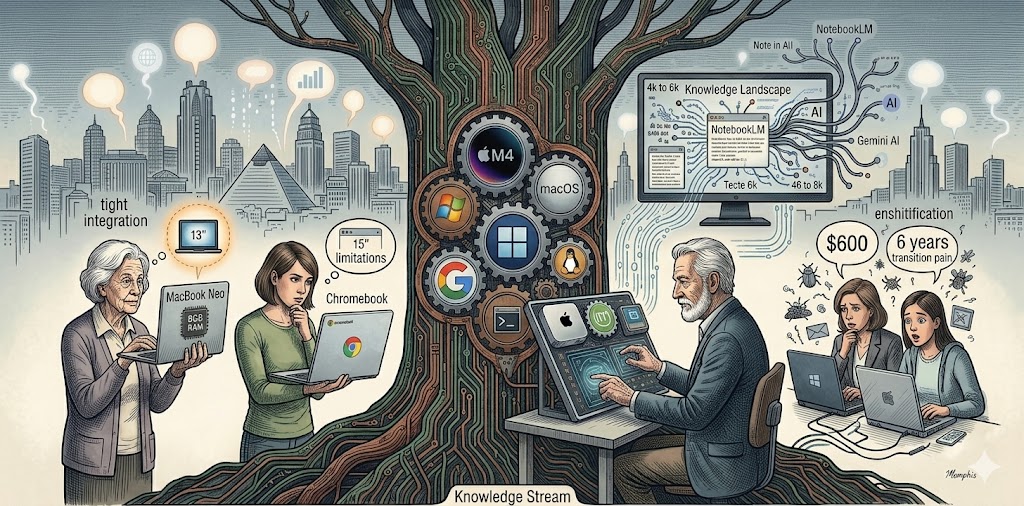
Knowing When To Give Up Dreams

by James Wallace Harris, 1/25/25

I love computers and digital devices but I have too many of them. For some reason getting old is making me anxious about owning stuff. Like the instinct that makes birds fly south for the winter, aging has triggered an instinct to simplify my life. I’m still young enough to want all the junk I have, but I’m going through an in-between aging stage, where I want to keep stuff and get rid of it at the same time. That anxiety is gnawing at me more and more.

I will give an analogy that young people might not understand. On the Ed Sullivan Show in the 1960s, Ed would have these guys who could spin plates on the top of sticks. They could keep a row of plates spinning on sticks by running between them and jiggling each stick. Being young means you have the energy and dexterity to quickly run between lots of spinning plates, but when you get older, you slow down and can only keep a few spinning.

Being 73 isn’t that old, but it’s old enough to start feeling I need to spin fewer plates. Deciding what activities I love that I need to quit is stressful. At 73, I’m already old enough to let a bunch of spinning plates fall. That’s depressing, but I don’t have the energy to keep up. I’m starting to lose the energy to even care, which is scarier. I need to decide which activities I love the most that I can manage, and psychically let go of the other ones.

I realize I’ve already been doing this for years, but I’ve been letting activities go that didn’t matter much. What hurts is realizing which activities and ambitions I still hope to pursue that I need to stop thinking about.

When I retired in 2013, I thought I’d do many things with programming and computers. I thought about getting an M.S. in Computer Science even though I would never work as a programmer again. But none of that happened. I thought I would at least learn to program Python for fun. That didn’t happen. I had many ideas for programs I wanted to write but never did. I see that I only programmed when people were paying me.

For years, I’ve kept buying computers and piddling around with them. My most productive activity was scanning old pulp magazines and science fiction fanzines to put on the Internet Archive, but I’ve stopped because of diminishing energy. However, I’ve kept all these computers, scanners, and other devices for all my dream projects that need to be thinned out.

I don’t know if my Hamlet nature keeps me from committing to one computer operating system, or if I’m a child in a toyshop who screams he wants everything. However, mining three computer systems with three different operating systems has become a pain in my psyche.

Reality tells me to give up several dreams and the equipment that went with them. Why keep a Midi keyboard after I discovered I have no musical talent? Well, I kept it thinking someday I’d see how much I could do with Garage Band on the Mac with minimal talent. I’m sure that’s a delusion.

I need to jettison everything I plan to use that is obvious that I will never use. I’ve had this insight many times before but never could pull the trigger. The present reality is my energy reserves are getting so low that too much of them are being wasted on keeping impractical hopes alive. I must commit to the operating systems and computer equipment that will do the most for my aging future self.

If Microsoft wasn’t so heavy-handed in constantly adding features and monitoring my computer, I would make everything Windows. But there isn’t a Windows phone. If I didn’t dislike MacOS so much, I could settle on buying everything from Apple, because I love my iPhone and iPad. I do love Mac hardware, I just don’t like MacOS. And if I had my druthers, I’d go Linux and use all FOSS programs because I admire the concept of open source.

The idealistic computer geek in me wants to choose Linux. And I could realistically pick Linux if I knew I’d never wanted to scan magazines again. Picking Linux also means giving up Microsoft Office. Picking Linux also means living as a computer user minority.

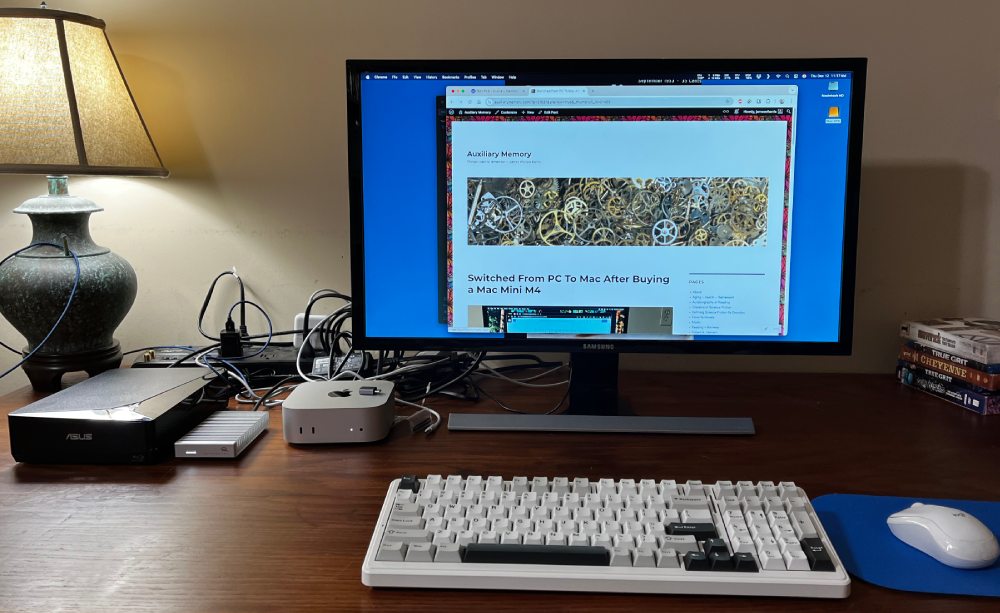
I love my Mac Mini M4 machine because it’s quiet. I love my Mac Air M1 laptop because the hardware is deluxe. And I can use MacOS just fine. I just prefer how Windows, or even Linux works better. However, Linux and Macs aren’t compatible with all my hardware and software.

The most universally useful computer I have is my Windows machine. My favorite phone is my iPhone. My favorite tablet is my iPad Mini. I like Android because it allows for microSD cards and is more open, but it’s nowhere near as easy to use as iOS. I wish iOS devices allowed microSD cards. Buying extra storage for iPhones and iPads is so damn expensive.

I wish I had 2TB of storage on every device I owned to fully replicate my Dropbox filesystem to every device. Dropbox is fantastic as long as I have the space to replicate everything. Selective sync could work, but it seems to have disappeared as a feature on my Mac and Linux machines. I could get an iPad Pro with 2TB of memory, but it’s $2000, and even then I’m unsure if it would sync my Dropbox drive. Maybe I should give up needing 2 terabytes of old files.

I would simplify my life by keeping my Windows computer, Mac Air M1, iPhone, and iPad Mini. But wouldn’t it be more logical to keep my Mac Mini M4 and be compatible with my other Apple devices I don’t want to give up? As Mr. Spock would say, “That is the logical solution.” But damn, I don’t know if I could walk away from Windows.

I could test the logical solution by packing away my Windows and Linux machines for several months to see how I feel.

And maybe that’s an approach I could try with other things I own. Just pack them away, and see how long I can live without them. If I can, then get rid of them.

I wrote this essay to think things through. I realize now, that I’ve written myself into a decision. I’ll let you know if I can overcome my Hamlet complex and commit.

I have decided to pack two computer systems away. I just don’t know which two.

JWH

Switched From PC To Mac After Buying a Mac Mini M4

by James Wallace Harris, 12/12/24

I’ve wanted to own a Mac since 1984, but they were always too expensive. When Apple announced the Mac Mini M4 had 16GB of memory as the base memory for $599, I preordered one from Amazon. They had it for $579.

I love Windows. But my Intel NUC has been annoying the crap out of me with its fan noise. I even went into the BIOS and set the processor to its lowest performance level so it should overheat less, but the fan still whined, but not as much. And it got less hot to touch. I don’t know why, but even when I didn’t use it background processes were always running something. I checked for viruses and malware but didn’t find any. I opened the NUC and vacuumed the dust, making sure that wasn’t a problem. I don’t know why, but that fan whine just got to me.

I never hear the Mac Mini M4. Nor does it get warm. I added a 4TB external hard drive to handle my 2TB Dropbox drive and a folder of Plex movies and TV shows. The heavy-duty OWC enclosure with metal fins gets warm sometimes, but it’s quiet.

I love the quietness of the Mac Mini, but I’m worried about the OWC external drive. The light comes on when I’m not using the machine, and it’s sometimes warm when I haven’t used the Mac for hours. I’m worried that something is running in the background that I might not like.

Modern computers run dozens of processes in the background, and this is starting to annoy me. I was hoping the Mac ran fewer. It’s a major reason why I considered switching to Linux. I never know if those processes are essential, corporate spying, or malware activity.

The trick to switching to the Mac was finding software that served the same functions as all my Windows programs. Office 365 runs on both platforms. No problem there. I use Microsoft Edge browser on Windows, Linux, iOS, Android, and Mac. Obsidian runs on PC, Mac, and Linux.

I was quite happy with Office 365 on the Mac. It even installs Microsoft Defender, which includes more than just anti-virus tools. However, I’ve taken all the Microsoft programs off the Mac Mini because Activity Monitor shows that Microsoft runs too many processes.

I’m testing to see if I want to standardize on pure Apple apps or pure Open Source programs. I mention this because switching to the Mac is like switching to Linux. You can try to make everything work like it did on Windows, or you can go native.

My first big hurdle was Adobe Photoshop Elements 2021. My copy came with a Mac version but wouldn’t load on the Mac Mini. I thought I’d switch to Gimp because it runs on PC, Mac, and Linux. But I just don’t like Gimp. I solved the problem by using the online app, Photopea. It works great on all three platforms. Photopea works like Photoshop Elements and Photoshop, so no learning curve.

Ripping disks with MKV works even better on the Mac. Plex works fine from the Mac. I took down the Intel NUC I used as a Plex server. Since I have so much space on the Mac Mini’s external drive, and because it is quiet and power-efficient enough to run all the time, I made it my Plex server. Even my favorite CBR reader, YACReader ran on the Mac (as well as Windows and Linux).

The Mac doesn’t work with my Plustek OptiBook flatbed scanner or my favorite program for scanning and mass manipulating images, IrfanView. I just can’t find a driver for the Plustek for either the Mac or Linux and no other program I’ve ever used even comes close to the utility of IrFanView.

Also, I can’t find a screenshot program that functions as well as Windows Snipping Tool, or ShareX.

I own a copy of Abbyy Fine Reader for Windows 15, but they’ve moved to a subscription program. I don’t know if I’m ready to subscribe to the Mac version, especially since I can’t use my scanner. I used to scan old science fiction magazines and fanzines to convert to CBR files and needed the Plustek, IrfanView, Abbyy Fine Reader, and Scan Tailor for the job. That task might have to stay on my Windows machine. But it might just retire from that hobby.

I’m not keen on how Mac OS does many things, but that might be because I’m used to doing it differently on Windows for decades. I’m adapting. I can go days without turning on my Windows machine.

One thing that has made migration easier is I keep all my files on Dropbox. I’ve always been annoyed when using one machine and remembering a file I created is stored locally on another machine. It’s so much easier to keep things on Dropbox and I can access the files from Windows, Linux, Mac OS, iOS, and Android.

There’s a lot I have left to learn about using a Mac, but it doesn’t seem to be too much trouble to do the Mac way of doing things. I am disappointed my PlusTek scanner doesn’t work.

I’ve wanted to switch to Linux for years, but never could because it didn’t have the programs I use to scan magazines or drivers for my scanner. So the Mac and Linux are equal in that.

Now that I’ve been using the Mac Mini M4 for a couple weeks, I love the hardware, but I still don’t like Apple’s operating system. It works, but it’s not what I’ve been using for decades. Using MacOS reveals just how much I love Windows 11. I wish Windows 11 ran on the Mac Mini M4.

I don’t like having an external SSD. The OWC housing and 4TB Crucial SSD work fine, but there’s something else on the desk. That bugs me. Knowing what I know now, I wouldn’t try switching to a Mac. I’m going to stick with it, at least for several months.

I write this in case you’re seduced by the Mac Mini M4 mania and haven’t bought one yet.

I love the high-tech of the M4 chip. I love having such a powerful machine. However, all I really needed was a new mini PC that was quiet.

JWH

The Challenge of Cross Platform Computing Life

by James Wallace Harris, 11/11/23

For the first twenty years of my life, I didn’t use computers. I started off using computers in 1971 at school, and bought my first one, an Atari 400 in 1980. Before the decade was over, I had standardized on MS-DOS computers at home, but used PCs and Macs at work. During the 1990s, Windows became the standard at work and home, although I also used a MacIntosh at work sometimes. I was a computer programmer and had to support both. I liked the Mac, but never owned one until recently when I bought a M1 Mac Air.

I bought the Mac laptop because I have back problems and can’t always sit at my desktop computer and the Air had the longest battery life. I can use the Mac Air in my La-Z-Boy when I can’t sit at my desk.

Because I use the iPhone the most daily of all my computers, and because I like to read on iPads, I should have standardized on MacOS and bought an iMac for my desktop computer. Apple is doing everything it can to make its hardware and software to synergistically work across all its devices. However, I haven’t done that. I’ve been a Windows guy for decades.

Life would be much easier if I owned a Windows computer, with a Windows tablet, a Windows smartphone, and a Windows laptop, and they all shared files from OneDrive. Windows offers the widest functionality because it supports most hardware and software. And Microsoft has done an excellent job of constantly improving Windows. However, since the early 1990s I’ve hankered after another operating system, UNIX. Back then, real computer guys used UNIX. Now real computer guys use Linux.

In the early 1990s, my friend Mike bought a copy of MINIX. It was a cheap imitation of UNIX for $89. I didn’t want to spend $89, so when I read about a free UNIX-like operating system called Linux I downloaded Slackware from USENET News messages onto several floppy disks and installed it on an extra machine. I thought it was neat, but I couldn’t run any program I was used to running. That was disappointing.

After that, I would check into Linux about once a year, always hoping it could do everything I did on my Windows machine. In recent years it’s gotten close. This week I bought a Minis Forum UM680 small form factor computer and installed LMDE (Linux Mint Debian Edition) on it. This was a complete extravagance since I don’t need any more computing power. Unfortunately, when I started seeing videos about the UM680 I just lusted after it. The thing is tiny, but super cool. It has 32GB of memory, 1TB of SSD hard disk space, 3 USB-A ports, 2 USB-C ports, and a microSD card reader. I paid $433 for it. To configure a Mac Mini or iMac like this would cost three times as much.

I decided I would finally use Linux as much as possible. I’m writing this blog on my Linux machine (see photo). I don’t hate Windows, in fact, I think it’s the best OS to use. I bought the M1 Mac Air because as a piece of hardware it was impressive and had a long battery life. However, I’m not too keen on Mac OS, and I dislike using a laptop. I love big computer screens. My Windows machine has a 34″ widescreen monitor, and the Linux box has a 27″ 4K monitor. Using the 13.3″ screen on the Air is painful to me. But I practice using it every day. During those times when my back goes out, I hate being away from my computer and figure I need a lifeboat computer, and the Mac Air will be that lifeboat.

After using the M1 Mac Air I wished I had bought a Windows laptop even though I would have had to buy a machine that had much less battery life. The Mac Air is great, and I’ve always wanted a Mac, but life would have been so much easier with one less OS to support. I should have ignored my long desires to use both Macs and Linux machines. That didn’t happen, so I’m living with three operating systems. I’ll standardize on one in the future as I get older, but for now I need to be a cross platform user.

Dealing with five operating systems (Windows, MacOS, iOS, Linux, Android) is a pain in the butt. Doing word processing is a snap on all the operating systems. So is using a spreadsheet, web browser, and email. It really doesn’t matter what OS I use for common computer activities. A cheap Chromebook would have been all I needed. However, I pursue two activities which I’m having trouble doing on the Mac and Linux.

Most of my computer use involves blogging. If I had to, I could create a blog with text, photos, and videos just from my iPhone. But it’s tedious and I can’t manipulate images the way I can in Windows. I create my photo layouts using HTML first, and then using the Windows Snipping Tool to grab the layout I want and save it to .jpg. I know that’s a silly way to avoid learning a program like Photoshop or GIMP. I’ve been using Photoshop Elements for photo manipulation for years but have never learned to use it well. Since Photoshop Elements isn’t available for Linux, I need to learn to use GIMP, the standard free photo editor that works on Windows, Mac, and Linux. Blogging on the Mac and Linux will take a little time to learn, but it shouldn’t be too hard.

Because I write about science fiction and its history, I have a large library of digital scans of science fiction magazines. In fact, I have copies of most of the science fiction magazines that were published in the 20th century. They are in the .cbr format. I can read them on devices from all five operating systems. However, I currently can only create a scan with my Windows machine. It takes several programs to create a magazine scan, and a scanner. The scanner works best under Windows. Getting it to work under MacOS or Linux is a pain. And some of the software I need to process the scan pages is only available for Windows.

For me to be truly cross platform ready, I need to get magazine scanning going on the Mac and Linux machines. That will take much longer. I will need to find drivers for my scanner, and new software on each OS that does the work of the Windows software I use now.

Like I said, I should have just stuck with Windows. Life would have been easier, cheaper, and less cluttered. But when I look into the future, I wonder if I shouldn’t become a Mac person, even though I don’t like MacOS. I love my iPhone, and doubt I’ll ever switch from it. I love the iPad far better than my Android tablet. The logical thing would be to migrate to iPhone, iPad, iMac, and Mac Air as my only computer platform.

I guess years of being a PC guy makes me shy away from becoming a Mac guy. I’ve always wanted to be a complete computer nerd and use Linux. There are Linux phones and tablets, but they are so damn clunky. Theoretically, I could go total Linux. However, I would be out of step with everyone I know.

Logic says I should pick one platform and stick to it. But I’ve never been very logical, at least with computers and technology. I’ve aways been impulsive, wanting all the different kinds of gadgets. Now that I’m getting older, that impulse is coming home to roost, and I don’t think it’s viable for the last years of life when I should be minimizing possessions.

JWH

The Beatles and Other Forgotten Bands

By James Wallace Harris, June 30, 2015

Now that Apple has entered the streaming music business it’s obvious that streaming is the future. After more than a century of wax cylinders, 78s, LPs, 45s, 8-tracks, cassettes, CDs, DATs, SACDs, MP3s, music will arrive by subscribing to bits and bytes. We’re now in a transition phase. Some people will listen to music they own, and others will listen to music they rent. As the advantages of subscription music become apparent to all, most listeners will forget about owning. If songs aren’t instantly available on their smartphones, they will be forgotten.

The_Beatles_-_Rubber_Soul

Because I listen to ninety-nine percent of my music through Spotify, The Beatles are becoming a forgotten band. I’m sure Apple hopes to make an exclusive deal to stream The Beatles like they did for selling their songs and albums by digital downloads. If The Beatles make such an agreement, I might forget them completely. I bought twelve of their thirteen re-mastered CDs when they came out a couple years ago, but I don’t play them. Some are still in the shrink wrap. Listening to music on Spotify is just too damn convenient.

Gypsy

Most of the famous bands that held out against the subscription music tide have given in – AC/DC is the latest example. I have to admire that group for not making an exclusive deal. During the transition phase to a complete subscription music age, we will have to find ways to deal with forgotten bands. There are several reasons why music from the past isn’t offered today.

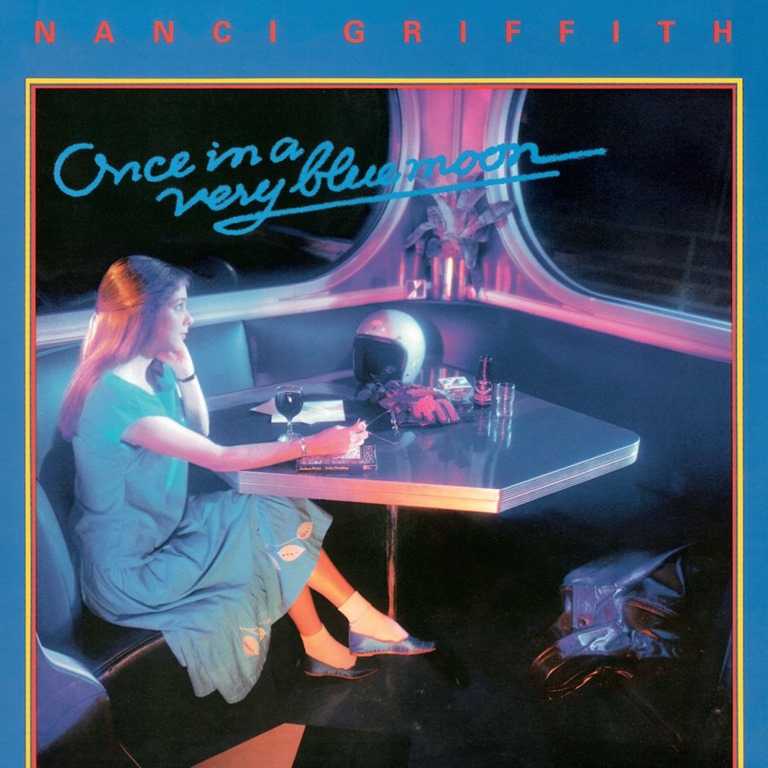
Once In a Very Blue Moon - Nanci Griffith

First, a band will refuse to allow their music to be streamed. That’s becoming less likely as people quit buying music. Second, music is often tied up in legal battles. Again, that will be resolved. There is a lot of music from the past that is forgotten because there’s no demand or its creators aren’t around to promote it. I assume this will change over time as those who still remember will complain. Finally, what we can hear will be limited by exclusive deals. There’s over a dozen subscription music services out there now with more coming on line all the time. The best way to capture subscribers is to promise the biggest catalog, especially catalogs with artists and albums that other services don’t contain. I find this mercenary practice a heinous aspect of the music business.

Willis Alan Ramsey

Right now the standard price for subscribing to a music library is $10 a month. If some services seek to dominate with exclusive deals, there will be a tendency towards monopolies and squeezing out the smaller services, or for people to subscribe to more than one music site. One solution to make subscribing to multiple libraries possible is to change the fee structure. For example, if Spotify and Apple charged $2.99 to be a subscriber, and then one penny a play, then fans could easily enjoy two sites and pay artists fairly.

quicksilver_what_about_me_lg

One reason why artists have avoided subscription services is the low royalty payments. Between the music publishers and subscription services, they seem to make the best deals for themselves. Apple almost got away with giving people three months of music to new subscribers without paying the artists. I think the artists would get a better deal if their payments were separated from subscription fees.

Rainbow Down the Road by B. W. Stevenson

One cent a play is the perfect payment. That cent should be divvied fairly between the composers, performers and record companies. The one cent fee should only be for specific playing of songs. For random background listening, artists should get a lesser fee paid out of the subscription service fee. That way, unless a fan plays specific songs all day long, most listeners will still stay close to the $10 a month bill.

Never Goin Back to Georgia by Blue Magoos

With better royalties I believe most music from the past will be unearthed and put online. Forgotten bands and their albums will show up in libraries, making subscription music nearly perfect. Right now there are many favorite songs from the past that I can’t add to my playlists. In the future, when everything I want to hear is in my subscription, I can’t imagine another system of music delivery ever replacing it.

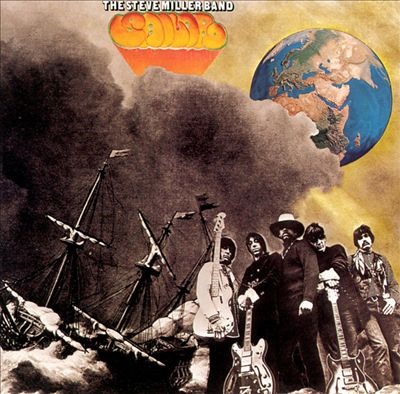
Sailer by The Steve Miller Band

Pictured are just some of the albums I can’t play on Spotify today. I hope they will all be available within a year.

JWH

Redesigning the Television–Will Apple Revolutionize the TV Next?

Before Steve Jobs died he told his biographer that he wanted to create a television set that was completely easy to use.  Can you imagine a TV that’s as revolutionary as the iPhone or iPad?  Well, I think it would be fun to guess its features.

World TV

Right now there are different technical broadcast systems all over the world so I would think the first area of simplification would come from jettison outdated technical standards.  Why not design one TV that will work with all 7,000,000,000 citizens of the Earth.  I can’t imagine Jobs would want to design a TV that had to work with set-top boxes from other companies selling content.  Nor could I imagine he’d want to design something that used over-the-air channel reception.  Because the Internet is universal across the world, why not just design the future TV to be an Internet TV?

Picture a TV with one power plug and built-in wireless networking.  Now that would be a simple and elegant design.  It would essentially be a computer with a 24”-62” screen using 1080p, that could work anywhere in the world with a different power cord.

The TV antenna will go the way of the buggy whip, and so will set-top boxes and DVD-Blu-ray players.

Physical Design

Now we need to imagine the design of the device itself.  Currently I have 5 remotes and a keyboard with trackpad to use with my 52” TV entertainment system I built myself.  If our new future TV used something like Siri, we could get rid of all remotes and keyboards.  The only external control that Siri couldn’t handle is a game controller, and with a Kineck type sensor even that might be eliminated.

Having to connect a receiver and surround sound speakers to HD TVs is a pain.  Our perfect TV should have a sound bar built-in with great surround sound.  And it should play music fantastically too.  No more Hi-Fi component, speakers and wires cluttering up the living room.

My new LG computer monitor has no physical buttons on it, but light sensors, even for the on/off switch.  I think our perfect TV wouldn’t have mechanical buttons either.  It should be voice activated only, but if it did require a manual power switch it should be light activated.

This TV will be more futuristic than anything on the Jetsons.

jetsons_l

Content

Now I can’t imagine Jobs thinking he could design this TV and just throw iOS 5 on it.  The TV opening screen and menu system is the hardest feature to imagine.  This is why Apple is the success it is, and why other companies copy its design.  Our prefect TV needs to show:

  • Internet broadcasts – live TV
  • Recorded shows from the past
  • Movies
  • Personal videos
  • Photographs
  • Internet
  • Games
  • Music
  • Telephone
  • Teleconferencing
  • Online courses
  • Presentations
  • Business and education software

For Internet TV to work we need TV networks to switch to streaming their content, but there’s needs to be a paradigm change first.  How many shows need to be live?  Think about that.  The news, sports, reality shows, special live concerts and performances.  We actually don’t need live TV all that much.  Most of what’s on TV is recorded.  Because of DVRs and services like Hulu, how many people even watch new TV shows that premiere each week live?  Cable/satellite services provide hundreds of channels because of their technical limitations, not because we need hundreds of live TV channels.

Content from networks like TCM, National Geography, Discover, History, etc. can be served just as well from a web page, they don’t need to be live.

Recorded TV shows and movies can come from services like Netflix, iTunes and Amazon Prime.

When I was growing up in the 1950s and 1960s we had 3 television channels.  There were no DVDs or DVRs to catch a show later.  You either watched the show when it aired, or maybe had another chance the following summer during rerun season, and that was it.  Each fall we were presented with a new line-up of shows and they would generally run a whole season – shows were seldom canceled mid-season.  Once you learned the lineup on shows in September you pretty much knew what was going to be on television until next summer.  Special shows were indeed special and rare.  That was simplicity then.

Back then watching TV was as easy as basic arithmetic.  Today with cable, satellite, iPads, smartphones and internet television channels, along with DVDs, Netflix, Amazon Prime, Blockbuster, Redbox and DVRs deciding what to watch on television is more like advanced calculus.  We now live in a TV age of painful complexity.

Watching TV fifty years ago meant three channels of choice.   Today we’re getting closer and closer to being able to watch anything that’s ever been on television at any moment.  The choices aren’t infinite, but when someone asks “What’s on TV?” it might be safe to say, “There’s a million things on TV tonight.”  And that’s painful to deal with.

Our perfect TV needs to have an operating system that allows the viewer to find what they want to watch as quickly as possible.  It needs to be as simple to use as an iPad for a two-year-old.   When the set is turned on it needs an opening screen – the top menu, and the basic functions can be simplified to these:

  • TV
  • Library
  • Telephone
  • Games
  • Music
  • Computer

This makes six tiles – is Microsoft on to something?  TV would be live TV, Library would be recorded shows, either TV, movies, personal videos, photographs, or other content.  Telephone could be two way video or conferencing.  Games and music are obvious.  Computer would be anything from online courses, business presentations, science simulations, word processing, blogging, etc.  I think we’ll be surprised what we’ll want to do from the family TV in the den.

Think what a game changer such a television would be.  It would be the Holy Grail of integration between TVs and Computers, but also phones, stereos and game units.  Is it any wonder that Steve Jobs wanted to tackle such an exciting project?  Sadly, think how many companies it will put out of business.  We won’t need Blu-ray players or discs, or Google TV or Roku, or music CDs, or movies and TV shows on DVD.

How To Get From the Complexity We Have Now To A New Simplicity?

If you have cable with hundreds of channels how do you even know what to watch?  And what great shows are you missing?

Live

The first thing we need to do is separate live content from recorded content.  We need to bring back the demand and understanding of live TV and we need to reduce the number of channels offered.  Because our system works with the world, live TV could be from anywhere on the planet.  We want our TV user to select any channel they want, but we need to simplify the TV menu system.  I like how Roku does things.  It offers hundreds of channels but you only add in the ones you regularly use to you main menu.  I’ve done the same thing with my over-the-air TV, reducing about two dozen local channels down to five.  It makes life easier.

When the user says “Live TV” to our new set they should see a small listing of favorite live channels.  They could be numbered on the screen so the user could say “Number 4” or just “PBS.”  Or they could say “Add channel” and then go into a menu of all possible live channels to add.  They might say, “Japan” and see live TV channels from Japan.  Or they could say “American football” or “British reality shows.”

This system would allow for simplicity from an unlimited offering.

Also, the Live function could connect to web cams around the world.  TV doesn’t have to be produced.

Library

The selection of recorded shows could run to the millions.  Any movie, any TV show, any documentary, any home video, etc.  We’d need a system to help people find good content.  The basic search engine could find things if user already knew the name of the show, or certain related details, but for discovering new shows they would need help.

What we need is the wisdom of crowds – hit lists of all kinds to let people find what other people are watching and rating.

The default Library screen could have pull down menus on the left and a list of shows on the right. The pull down menus will let you pick for Year, Genre (and Subgenre), Audience, Now/Then, Rating, and maybe others. The default might be Current to see the most popular shows people are watching right now. But under Time you can change it to a listing by year or decade. Under genre you’ll see a detail list of genres and from Audience you can pick age group.

This way you could put in 1950s, Science Fiction, 60-65, Now – and you’d see a list of 1950s science fiction shows and movies that people 60-65 are currently watching the most. You can also switch to Then and see what the people back in the 1950s watched the most.

So if you want your daughter to learn about astronomy you could request the most popular documentaries on astronomy that are viewed by 10-20 year old girls that are rated 8-10 stars.

We’d need supplemental features that used the techniques of Amazon customer reviews, Netflix, Wikipedia, Rotten Tomatoes, MetaCritic etc. to help people find shows.

The system could have an encyclopedia of TV shows and you could find any TV series that’s ever been made and start watching them from the first episode to the last.  Such a TV system will kill off DVDs.

Finally, our Library feature could also integrate with your local libraries, to their special collections, or to libraries around the world.  There’s more to our culture than old movies and TV shows.

Telephone

Wouldn’t it be cool for one family on Christmas to see and talk with other family members who can’t make it home that year?  The possibilities are endless. Science fiction has been predicting for the wall screen telecommunication device for decades.  It’s time to get around to making one.

Games

It’s pretty obvious games need to be integrated into this system.  Essentially our TV will be a computer, whether it runs Mac OS X or Windows 8 or Linux, it will be competing with console gaming.  It could signal the end to console games.  But won’t Angry Birds be cool on a 62” screen at 1080p?  Or future versions of World of Warcraft?

Music

Apple wants you to buy music from iTunes – that’s such ancient 20th century thinking.  I’m surprised that Steve Jobs didn’t recognize the simple beauty of streaming music libraries like Rhapsody, Rdio, MOG, Spotify, Zune and others.  Why mess with owning music and having to worry about backing it up and protecting it for the rest of your life.  Streaming music rental libraries is just too damn easy to use.

Like the “Live” TV function, the “Music” screen should allow users to add subscription services to the default screen.  Probably only one, but they should get to pick which one.  I’m sure the future TV from Apple will show iTunes, but unless iTunes starts its own streaming music service, this will keep the Apple model of future TV tied to the past.  Right now I subscribe to Rhapsody and Rdio, and use the free version of Spotify.

Computer

Lot’s of people want to predict the death of the desktop computer but you just don’t want to do everything you can do on a computer from a 4” screen, or even a 10” screen.  Online education is going to be big.  Doing business presentations is already huge and getting bigger.  Everyone will learn to create content, whether you’re an artist, teacher, musician or mathematician.  Imagine letting kids paint on a 62” canvas?  Or studying math from a library of the best teaching programs from around the world.  For many families the desktop might go away, or it might become the family TV.  Or the bedroom TV.  Pretty soon a TV will be a computer and a computer a TV.

Summary

It’s like Dylan said, you don’t need a weatherman to know which way the wind blows.  Many young people have already abandoned the family TV to get all their content from smartphones and tablets.  The shift to Internet TV has been going on for years, so it doesn’t take much imagination to predict a perfect TV.  I wished Jobs would have lived into his 90s to see everything he could have revolutionized.  Actually it would be fun to see if he ran out of things to reinvent. 

At some point things have got to settle down.  If you contemplate this TV I’ve imagined here, it integrated a lot of technologies into one simple device.  I’d expect one screen in every room.  And then everyone would have a 4” smartphone and a 10” tablet and maybe a 12-16” laptop if they needed one.  After the war of gadgets we’ve been seen in the last decade will we see a gadget peace for a time?  Reading Engadget makes that hard to believe.  But the Flip video camera was killed off because of video cameras in smartphones.  What will the iPhone 4s do to the digital still and video camera market?  What’s happening to portable DVD players and handheld game units?  Does anyone buy handheld GPSs anymore?

Just when Microsoft was getting into touch, Apple comes out with a voice interface.  Schools are giving up teaching cursive handwriting.  When will typing disappear?  Always remember, the evolution of machines is away from moving parts.  Now that consumers have access to 3 terabyte hard drives do they really need them when everything is moving to the cloud?  How much does the iMac look like the future of computers and TV?  Evolution appears to be moving toward intelligent flat screens.  The smartphone suggests that everyone will have a personal 4” screen they take everywhere.  Some people will also need 10” screens (tablets).  At what point does voice controlled touch screens invalidate the need for 12-16” laptop computers?  And when does the 24” computer monitor in the bedroom merge with the TV?  And can one OS handle all screen sizes?  Will it still be Microsoft v. Apple v. Linux?

My recommendation if you are buying a new TV now is to pick one with the most Internet features built in.  But expect Apple to come out with something in 2012.  Will it be as revolutionary as the iPhone?  I don’t know.  Too much depends on TV networks, cable channel systems and content providers.  But I can’t help believe that cable TV will go the way of the floppy disc.  Expect CDs, DVDs and Blu-ray discs to disappear quickly too.  Cable TV and Satellite companies will put up a big fight for years, but the Internet will allow content produces to do an end run around them.

How quickly will all this happen?  Well, how quickly are ebooks taking over printed books?

JWH – 10/30/11