Yesterday Google announced it would be closing the ports on Google Reader July 1, and that immediately set the blogosphere abuzz. I read at least a dozen articles this morning about the impact of losing Google Reader. RSS readers have been around a long time, way before Google Reader, it’s just Google Reader was so damn convenient.
I assume, that Google assumes, that mobile device users are moving away from the traditional RSS feed readers to programs like Zite, Pulse, Flipboard, and Google Currents, and that very well might be true. I’ve certainly become a Zite addict. But if you’re a total news junky, trying to conquer the fire hose of data that is the Internet, RSS technology is still the best tool around.
If you search on Google for “Google Reader Alternatives” you will get a barrage of advice. I’ve been trying various alternatives all day long, but some of these sites are bogged down by people just like me, so now might not be the best time to go kicking tires on a new RSS car.
Also, there are reports that some programs that work with the Google Reader back end are calling it quits.
I’d like a RSS news reader that has a web app, plus an app for my iPad and iPod touch. Zite, Flipboard and Currents only works with mobile devices. I joined Pulse and Feedly today, both of which have slick, customizable interfaces. However, neither one seems to be designed for people with dozens or hundreds of RSS feeds. Google Reader’s plain interface worked well with lots of feeds.
Next, I thought about standalone application like FeedDemon, but Nick Bradbury, FeedDemon’s creator, announced he was calling it quits. But Bradbury also sounded like interest in FeedDemon was on the wane anyway. Another bad indicator for RSS health.
I wonder how many online and offline programs use Google Reader’s engine to make their program work? I also looked at Feedreader, but it wouldn’t accept my registration for the online version. So I installed their client version, and discovered what it means to run my own RSS reader demon. I’m not sure I want yet another process running in the background.
Newsblur said the demand was too high for free accounts, and asked if I wanted a paid account. I might, but I’m waiting to see what happens in the next few weeks.
That’s why Google Reader was so nice, it did all the work at its site, allowed a whole array of apps to use it, and was free. Google hosting all those feeds is why so many programs depended on it. Maybe it’s time to pay for the service. If we all paid Google a $1 a month, would Google be tempted to keep the service going?
If not, does this mean the beginning of the end for RSS? Or is it time to pay for our lunch?
RSS technology allows people to build their own unique news service. Theoretically it should be the ultimate tool for people to get their daily news. But RSS isn’t perfect. You can have 10 feeds, each providing 10 stories a day, but 90 of those stories might not be ones you want to read. Zite, and other magazine builder apps, seek to send you stories that you really want to read by tracking your interests far more closely than RSS. If they can make that work, RSS will die.
I love Zite, but it’s not perfect either. I’m constantly thinking about how to be more efficient in my news gathering and reading. It’s important to read about the topics you are most fascinated by, but it’s also important to be exposed to a wide range of new topics.
I assume RSS is dying. How many people know how to configure NNTP client anymore? I loved Usenet newsgroups, but haven’t used them in years. Except at work I never use FTP or Telnet anymore. The Internet is no longer a playground for techies. And using computers and the Internet doesn’t make you a Geek. People want easy to use transparent services. Google giving up on Google Reader is just a sign of that trend of taking the geekiness out of the Internet.
I have three home computers, three work computers, four external hard drives, and six cloud drive accounts, with tens of thousands of original files that are multiplied into hundreds of thousands stored on backup and cloud drives.
I have personal files and work files but often I want access to both kinds no matter where I’m at.
If I delete a file from the computer I’m working on, it’s not deleted from all the backed up copies.
Every time I look at a different drive I have to constantly decide again if I want to keep or delete a file.
Because I have 4 PCs, 1 Mac and 1 Linux machine I really don’t have a primary My Documents folder.
I have copied files in so many locations that I’m not sure which is the primary backup anymore.
I had a 1.5 TB drive fail and lost 200+ documentaries I was saving.
I have too many files from using personal computers for over 30 years.
The Goals:
I want two perfectly organized Master Filing Systems, one personal, one work.
I want the easiest system possible for maintaining order and security.
I want to get rid of the external hard drives.
I want the fewest copies that equals the maximum security.
I want each of my Master Filing Systems to be backed up.
I want the files to have an organization structure that makes it obvious where everything is and belongs.
I want this to be my last file reorganization that will last me the rest of my life.
I want to clean out all the clutter and ancient files I no longer need.
Questions to Consider:
Can I trust a cloud drive like Dropbox or SkyDrive to be my Master Filing System? This certainly would make using six computers and my mobile devices the easiest to use.
Would it be practical to use a cloud drive as my Master Filing System, and then use software to mirror the cloud to local computers as backups?
Which cloud drive service is worthy of being my Master File Location?
How do I handle deleted files so the deleted files are removed from all the backups, but yet stored somewhere for long term recovery?
Do I need to worry about music files now that I have Amazon Cloud Player, Google Music, Rdio, and Rhapsody?
How do I keep my photos organized in my Master File Location and in-sync with gallery sites like Picasa?
What’s the best place to store emails?
Should I have a Master Deleted File System?
Does any cloud drive service offer a journaling file system?
When I create a Master Filing System, what folder structure should I use?
Are some file types too large to save permanently?
Can Dropbox or SkyDrive work like a roaming profile/home drive on a Windows Server?
Some Answers to Help Decide:
Dropbox offers it’s Packrat feature of unlimited undeletes for $39/yr.
Using Dropbox means spending $139 a year minimum – the price of an external drive, but external drives take power, eventually, die, fill full of clutter, and take work to move from computer to computer.
Dropbox and SkyDrive have virtual drives making them easier to use than Amazon Cloud Drive, and allowing software like Second Copy to access them.
Dropbox virtual drives are available for all my my computers and devices.
Second Copy would let me replicate files from cloud drives to my PCs, thus making them the backups and not the cloud drives.
I could buy Dropbox for my personal Master File System and use SkyDrive for my work Master File System. (I have a 25gb SkyDrive account because of work).
I have a 50gb Amazon Cloud Drive account that I could use as a cloud backup.
If I use Dropbox as my Master Filing System I could go around to all my computers, backups and other cloud drives and re-file all the files I want into it. That might be the easiest way to create a Master Filing System.
For $25 a year Amazon keeps up to 250,000 songs for me in their Cloud Player and a copy in the Cloud Drive. They also give me 50 GB of cloud space for other files. Is this secure enough for maintaining my music library?
Are Some Files Too Big To Store Permanently?
When I lost the 1.5 TB of documentaries from my HTPC I began to wonder if some files are too large to save permanently. At Dropbox’s rates, I’d have to spend $1500 a year to have maintained my documentary collection online. I’m not going to do that. Nor do I want to run a home server with backups to support such a library. Maintaining 140 GB of music files is annoying enough, with copies on my main computer, two other computers, two external drives and at Amazon and Google. But keeping a perfect copy of my music library in sync is a nightmare. Then I have a large library of audiobook files scattered across several computers to worry about. Are they even worth the worry when I spend 99.9% of time listening to books from Audible.com?
The solution here is just to live with what Netflix, Audible and Rdio provides to me, and not try to own my own library of movies, music and audiobooks. This would certainly simplify a good deal of file management.
Conclusions:
Writing all of this helped me to think things through. I’ve decided to make Dropbox my Master Filing System for personal files. Currently I have 13 GB of free space, but I might have to up it to 100 GB ($99/year). I haven’t decided if I want to spring for the $39/year Packrat feature, but it’s tempting. It will probably take me months of going through all my file locations and filing what I want to save into my new Master Filing System. I certainly hope that Dropbox doesn’t go out of business.
I’ve been using Dropbox for a while now, but as a test, I’ll start using it as my primary My Documents folder for all my devices to see what happens.
For a backup to my Master Filing System, I’ll use Second Copy to replicate Dropbox to a folder on my local hard drive. I haven’t decided if I’ll replicate to two different machines or not.
I might reduce my home computers from three to two and get rid of all the external hard drives. Since I’d run Windows Media Center on both of them, I might mirror my recorded shows to both machines, but this means maintaining 2 TB drives on both machines, and I’m not sure I like that. I’m awful tempted to give up trying to save recorded video or even collecting DVDs.
If I succeed with using Dropbox as my Master Filing System and I get a new computer, it will be very easy to set up and start working. Just install Dropbox client and my software. Then create a backup folder and start replicating Dropbox files to it as the new primary backup.
Settling on Dropbox means my home files will be available at work, but also on my iPad and iPod touch or even any computer I sit down to use as long as it’s on the internet. Let’s hope this works out.
I routinely order from ABE Books, an online database of used book dealers owned by Amazon. More and more, the used books I get in the mail are former library books. Recently I ordered 11 books on 19th century Boston and several of them have been culled from libraries around the country. This is tremendously sad, much like the burning of the library at Alexandria in classical times.
Now I’m not saying people are stealing library books and selling them, although this does happen. No, librarians are going through their collections and pulling titles that seldom get checked out and selling them. They are thinning their shelves to make room for newer books. Many of these ex-library books have the official word DISCARDED stamped on the inside.
Today I got a book The Legacy of Josiah Johnson Hawes: 19th Century Photographs of Boston edited by Rachel Johnston Homer. It’s a discard from the Los Angels County Public Library that was first published in 1972, and has 5 returned date stamps: Jul 10, 74, May 28, 1976, Oct 27, 1981, Jul 26, 1989, Aug 8, 1989. There’s no telling when it was actually discarded, but that possibly means it’s been 23 years since someone has wanted this book. It never was a popular book, but is that any reason to remove it from the library? It has photographs of old Boston that few people will ever see, making it a treasure.
Libraries should be repositories of knowledge. People complain that the Internet is no substitute for libraries, but have libraries given up? Has the Internet replaced libraries? I used to work in the Periodicals Department of a university library back in the 1980s and it had a staff of about 15 people. There was also a Microforms Department that had a slightly smaller staff. Both departments were always swamped with students doing their assignments which required looking up articles in bound and loose periodicals, newspapers, or from microfilm. Today both of those departments are without staff, and are self-service with a little help from Reference because there’s no demand. Students do their research online.
I’ve always been proud of Memphis Public Library’s collection of science fiction at the main branch. It has several ranges of hardback science fiction, but the other day I went to their Friends of the Library book sale, and found several of those books pulled from the collection and for sale. I bought The Humanoids by Jack Williamson and The Silver Metal Lover by Tanith Lee. (Is this anti-robot sentiment?)
I always thought the Memphis Public Library SF collection was preserving a historical record of science fiction for future generations. I guess not.
If libraries aren’t storehouses of knowledge, then where does the task go? What if civilization collapses?
I can do a fair amount of research on the Internet, but copyright and paywalls keep me from seeing most serious content. It used to be if you wanted to know something you went to the library. What if what you want to know is no longer there?
If you’ve ever gotten used to having a DVR (digital video recorder) for your TV, you’ll know what I mean about living in real time. The HTPC (home theater PC) I built to record TV shows stopped working the other night. I went out to the living room to watch the news and my computer was dead. No news. No electronic TV guide. I had to watch TV in real time by clicking around the channels to see what was on. I ordered a new power supply, but that apparently wasn’t the problem. I took everything apart and put it back together and it started working again. Then it stopped again. Maybe the memory is flaky – I don’t know.
Every now and then, the electricity goes out and I’ll have to live without power for a few hours, and on some occasions a few days. Sometimes I’ve had to live without internet. Time seems to flow at a different rate when you live without electricity, the internet, cable TV, or TV without a DVR. Some people go crazy when they don’t have their smartphones.
All our gadgets alter our sense of time.
I recently read Anna Karenina by Leo Tolstoy and I was struck by how little technology they had in their lives, and how slow information flowed. The Russians were having a war with the Turks and the news came by telegram to newspapers. Each day people waited for new news of the war, and discussed the latest telegram. People in the 1870s Russian traveled by train, horse, cart and carriage. If they wanted to know what a friend was doing they had to wait days for a letter. It took weeks and even months to travel from one place on Earth to another.
Time works different when I have to be in my den chair at a specific time to watch a TV show. Normally I like to watch TV starting after 10pm, until about 11:30pm. I watch recorded shows, Netflix or a DVD/BD disc. I rarely watch TV live. Watching TV in real time is a total pain.
Now there is Netflix/DVD/BD time, DVR time and real time. Netflix and discs are old stuff just waiting to be watch whenever I feel like it. DVR is recent stuff, waiting to be watched when I feel like it. And real time is always now. DVR time lets me time shift and actual watch more TV. I seldom feel like watching TV in real time, but PBS has several amazing documentaries every week I want to watch. I’m over 100 documentaries behind in my DVR watching because they produce them faster than I can watch. Those shows just wait for me on my 1.5 terabyte hard drive. My HTPC watches TV for me. Watching TV on my time schedule seems to make time go faster. I never have enough.
I’m wondering what my life would be like if I don’t fix my HTPC. Will I confirm to TV time, or will I just abandon the TV and only watch Netflix and discs? When I was young this would have been an impossible situation. Young people have to see movies opening night. They have to watch new TV shows when they air. There’s an impatience to see things first. Years ago I had to be home Sunday nights to watch shows like The Sopranos and Deadwood live on HBO. Then I gave up HBO and waited about a year for them to come to DVDs. I think I could do that because I had gotten older and had the patience to wait. I no longer had to live in TV time, in real time.
Are DVDs real time, or slower than real time? The illusion is all this technology is speeding up time and real time is slow. That’s how it feels, but is it really? Is watching 2 hours of TV really any different if you’re watching it live, DVR, DVD or Netflix? It’s still two hours of TV? Somehow watching TV with commercials in real time seems very slow.
I remember when I got my first punch-the-clock job when I was 16, and had to work after school and didn’t get home until around 10pm. This was back in the second year of the original Star Trek and I hated missing that show. But work broke me of the TV habit for many years. The DVR allows us to maintain the TV habit without having to show up on time. Maybe I just need to kick the habit completely and live in real time.
In recent years TV makers have been adding features from the Internet (Netflix, Pandora, etc.) to their sets and calling them Smart TVs. Let’s imagine the trend continuing so that we have Genius TVs – what features would they have? Do we really want them?
Right now we have many devices, services, apps, sites that all work in different ways. Smart devices are ones where two technologies blend together, like Bluetooth consoles in cars recognizing Bluetooth smartphones so you can have hands free phone calls while driving. To make them smarter, they can also be GPS screens, rear view videos, engine monitoring, radios, CD players, etc. Genius devices are one that blend in many technologies and make them work together. Bluetooth, Wi-Fi, Broadband, USB, TCP/IP are all enabling technologies that bring electronic devices together.
In a way, all of this is very scary because we’re making machines smarter and smarter. If you’ve ever read John Varley’s classic story, “Press Enter ■” you’ll know what I mean, but for right now we’re all rushing headlong into convergence of intelligent machines. Most people love their gadgets but often get overwhelmed in how to manage them. That’s why inventors work so hard to let machines talk to one another so they can figure out how to work together without human intervention.
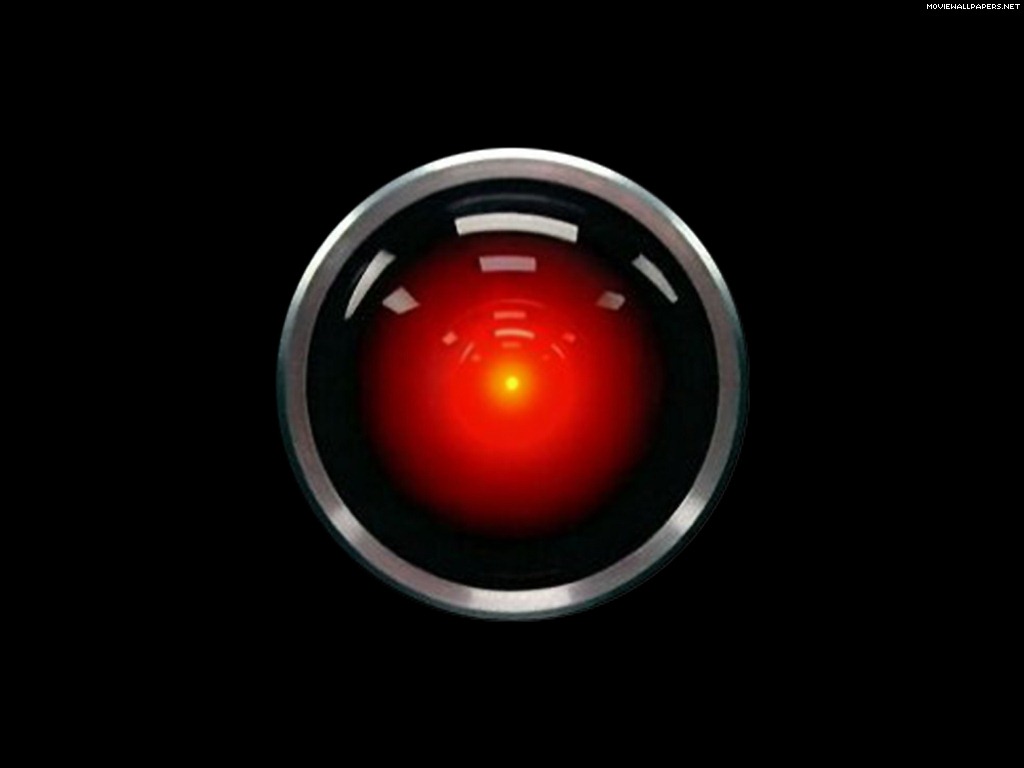
This also reminds me of scenes from the dystopian film Fahrenheit 451, based on the classic Ray Bradbury novel, and of course, Big Brother screens in Nineteen Eighty-Four. I’m in love with gadgets, but such gadgets haven’t always been portrayed well in science fiction. And there was HAL 9000 of course.
Our machines are getting smarter to make it easier for us to be dumber.
Here’s an example. When I sat up my new Roku I had to add each channel I wanted, and for each channel the Roku would give me a code that I had to enter in at a web browser. For Netflix I went to http://www.netflix.com/roku and entered the code, and then went back to the Roku to see that I had been validated. In the future I could validate my identity with the Roku, and then it could go down its lists of channels and automatically check with each service to see if I had an account and configure the Roku device for me. The smarter Roku would know more about me, and have access to my accounts.
With a Genius TV, I should be able to identify myself and it should configure itself automatically for everything I like to do with its designed features. It will be a video phone, and so it will get my contacts from the cloud, so I can say, “Call Connell” and it will know who I want. Or I could say, “Take me to the next episode of Breaking Bad I want to watch” or “I want to look at all the photographs of my father” and it would know what I want to do. Of course, I’ll be developing a symbiotic relationship with my Genius TV.
If you’ve ever used the program Zite on the iPad you’ll know how a program can consolidate your interests with articles appearing on the Internet each day. I should be able to tell my Genius TV that I’m interested in learning about how people lived in Boston from 1850-1875 and it would go get me diaries, photos, newspaper articles, books, etc., and format them in an interesting way to process all the data. This goes way beyond Google. I’m talking about a digital Jeeves like in the P. G. Wodehouse books who is smarter than me, and who can take care of all my needs. Siri is the first step to a Genius TV. But what if we all had our own personal Siri that really knew us?
A Genius TV must be completely Internet aware, not just design to work with a few services like a Roku box. It needs to be voice activated. It needs to integrate with my Internet provider, phone provider, my TV provider, broadband provider, my cloud services, my home security provider, utility provider, security cams, home network, cameras, and even local over-the-air TV and radio. I mean, this sucker’s got to be aware of everything. Before we all run headlong into this future, I really do recommend reading “Press Enter ■” if you can find a copy. [There are no legal copies I can link to, but just remember my warning. There are dangers to the future we’re all heading into.]
We won’t have an Einstein level Genius TV for years, but TVs on sale today are getting smarter all the time. So this essay should help you think about the possibilities the next time you buy a new TV. The simple way to look at it is to think about what devices that you own now that you can eliminate. Think how smartphones have eliminated so many older gadgets, well the same thing will happen to smart and genius TVs.
Here’s all the devices that’s connected to my current entertainment center in my den.
56” TV
Blu-ray player
CD/SACD player
Receiver
Roku
Home Theater PC
Old game unit
Ethernet switch
5 speakers
I picture a Genius TV being a larger wall mounted screen with maybe or maybe not a visible speaker bar, and that’s it. Elegant and simple. It can see me and I can talk to it.
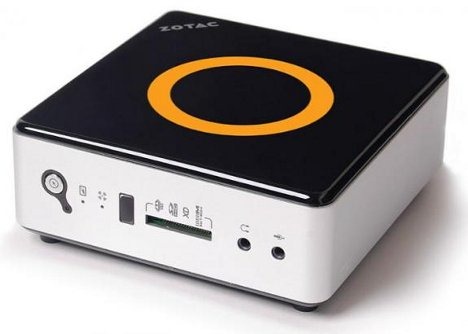
I can buy the physical setup now if I’m willing to give up CD/DVD/BD discs and go without the computer and better sound I get from the receiver/amp. Right now Smart TVs don’t have PCs built into them. My current HTPC is bigger than the receiver, but I could buy one that’s smaller than a Mac Mini. Music, movies and radio are all available via a computer now, so I could do a lot of consolidation now by buying a smart TV from Sony or Samsung, and a Zotac mini-PC.
I could fake the start of a Genius TV by buying a Smart TV and adding a small computer like this one,
However, a real Genius TV will have a fully functional computer built-in. An iPad screen has more pixels than a HD TV, and smartphones and tablets now have 2 and 4 core CPUs. They are small and getting smaller and cheaper. Adding one to a TV set is a no brainer. Just think of of a smart TV as a 60” iPad. Once you have a computer inside your TV you are connected to the world. You don’t need a stereo receiver to get local AM/FM radio because you can get internet radio from all around the Earth. TVs are built with 5.1 surround sound now, so we can jettison the receiver. See how it eliminates older devices?
Most people have already given up CDs and DVDs, and BDs never really caught on. But we’ll also give up game discs, paper photographs, and even paper personal records, books, newspapers and magazines. The closer we get to Genius TVs, the less clutter we should have in our lives. We’ll have different size screens. Now’s the time to ask if this is good or not, because we’re already moving in this direction as fast as inventors can invent. Machines have eaten our music, and they are about to eat our books.
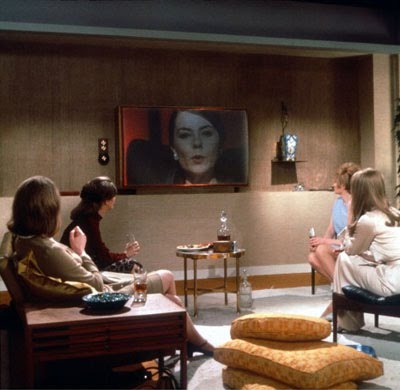
Contemplate everything you use a TV or video screen for now. How could you converge all of these activities into one elegant device? One that would integrate or replace your other devices. You’d still need a smartphone, and maybe a tablet, but all the TVs and computers in your house could be replaced by a Genius TV in each room, like the wall screens in the houses in the classic film Fahrenheit 451 shown above.
What all do you do with your TV, computer, phones and other gadgets in the house now?
Watch over-the-air TV
Watch cable/satellite/broadband TV
Watch DVD/Blu-ray discs
Watch Roku, AppleTV or similar Internet TV devices
Play video games with Xbox, Wii, Playstation
Use a computer connected to your TV or display
Skype
Video picture frames
Play family videos
Look at family photos
Listen to AM/FM/satellite music with a receiver hooked to TV
Listen to subscription music via the internet
Listen to ripped music on a hard drive
Watch pay-per-view TV
Run computer programs
Use tablet/smartphone apps
Use smartphone
Read books
Take an online course
Play DVD courses from The Teaching Company, or other educational training
Record shows with DVR
Medical monitoring
Web cameras
Security cameras
Okay, you get the picture. Now think of the electronic components involved:
Screen with 1920×1080 resolution
TV tuner
Ethernet networking, wired or wireless
Cable/satellite tuner
Roku/AppleTV/etc. tuner
Computer
Sound/speakers
Hard drive
DVD/Blu-ray drives
Lots of clickers to control each device
Computers, tablets, ebooks, smartphones, GPSes, etc.
But let’s simplify this system.
1920×1080 screen (or 2048×1536 or 4096×2160)
Electronic brain – or TV/CPU
Soundbar
Like the old component stereo systems of old, it’s easier to build and maintain a system from parts, that way you can upgrade or replace any part without replacing the whole. The TV/CPU would have components itself. Power supply, motherboard, memory, SSD drive. It’s time to get away from optical drives, so let’s just assume our Genius TV won’t use DVD or Blu-ray, but the TV/CPU could have a slot for a drive for be backward compatible for those people who collected thousands discs and can’t part with them.
Den and living screens would be wall mounted, and they would include a video camera. I picture soundbars now, but even they could be shrunk or hidden so all we see is the big screen. That leaves us to imagine the TV/CPU. They could be designed to easily hide in various kinds of furniture or also wall mounted. They would need two wires, one for the power and the other for TV/Internet, which is now coax, but that wire could be redesigned into a wireless network. Computers are becoming powerful enough, and wireless networking fast enough, that we might only need one TV/CPU brain to control all the screens in the house. Our Genius TV could be completely hidden away, near where the fiber optic cable comes in from the street.
Of course, the controllers (clickers, keyboards, mice, game controls, motion sensors) for each screen in the house would be wireless, and we’d need them until which time we perfect human-machine verbal communication, and the video cameras that watch us can read our every movement and intent. One day it will be just intelligent screens and people.
I think TVs should have full computer power, but not need Apple or Microsoft operating systems. They will use those OSes for the foreseeable future, but eventually that will change. I picture Genius TVs more like giant tablets with personalities. The current iPad has more screen resolution than a HD TV. Imagine if your TV had a library of apps like you find at the Apple or Android app store and could talk to your as easy as you talk to your friends?
Isn’t it time we have a world standard operating system? So any screen size can run the same apps? Once the screens become Geniuses, it won’t matter what OS they run, they will be smarter than us anyway.
If all our data is in the cloud, would we even need a SSD drives? Wouldn’t 16-32gb of local memory for each screen handle it all? After the optical drive disappears won’t hard drives disappear next?
Can you imagine the opening menu on this Genius TV?
TV
Movies
News
Magazines
Music
Audiobooks
Internet
Apps
Videophone
Games
Photographs
Videos
Documents
Security
Medical
Or would we even need a menu if it was completely voice activated? Most people can’t imagine the possibilities. I’m sure I’m just barely scratching the surface of what’s possible. Could you have have imagined the iPhone back in the 1990s? Look at the video on this page about Pebble watches. It’s a Bluetooth watch the integrates with your smartphone. This synergy between two devices, watch and smartphone, creates surprising spinoffs. Combing TVs, computers, internet, cable TV, phones, AI, etc. will produce some surprising spinoffs we can’t foresee now.
One thing that’s sweeping the country right now is online education. At first in colleges but also for K-12 schooling too. If you seen TED talks and Khan academy videos, imagine what a Genius TV could do for education. Combine it with Skype and Google Hangout and home schooling becomes more social. But instead of studying with children from the same school, or district, it would be possible to find other students anywhere in the world to form a study group.
If you have a 14-year-old kid who is fascinated by chemistry, you can hook them up with other 14 year-olds also fascinated by chemistry, and have them watch lectures from the very best chemistry professors in the world, and then have them remote view chemistry laboratories that are doing real chemistry. Suddenly a TV becomes a lot more than a TV. And computers become more than computers.
What happens if politics becomes truly participatory? Why let just 100 senators vote on a bill, when anyone who is interested could participate? TV has always been passive. The Internet and computers are active. Combining live events with the internet and TV screens should produce endless forms of real-time two-way/multi-way social networking.
What happens when your computers, TV, utility meter, security system and medical monitors mind meld into one system? Is it a computer? Is it a TV. Do we need a new name? Let’s not pick HAL 9000. We’ll interact with large wall sized screens, so we’ll think we’re talking to a TV, but one that’s very smart. Not some box that just passes on hundreds of video feeds. As we add more intelligence to these devices won’t they seem more intelligent and individual?
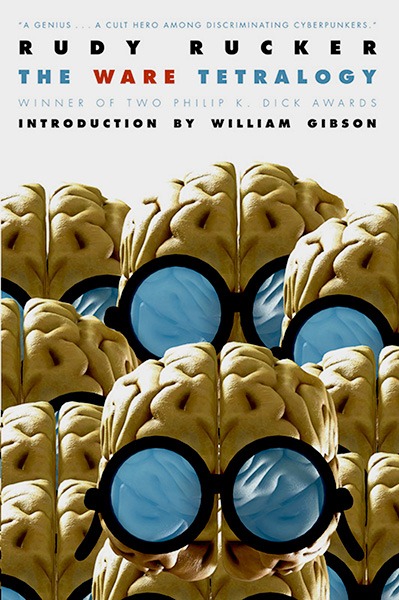
Read Wake by Robert Sawyer. No, I mean it. You need to be prepared for the future. There are science fiction stories that can help you imagine this future better than I can. Read Rudy Rucker’s The Ware Tetralogy. People are all nuts over vampires, zombies and werewolves right now. Those undead creatures aren’t real and won’t happen. Intelligent machines are happening. Pay attention. We’re all gadget crazy, but what happens when our TVs do become geniuses?

 Auxiliary Memory