My Favorite Free Newspapers and Magazines on the Web

When The New York Times put up a paywall I stopped reading it.  I love The New York Times, but $180 a year is outrageous for what was once free.  I was even more shocked at that the same content costs even more to read on a tablet or smart phone.  I found ways around their monthly page limits, but ultimately I just gave up trying to regularly read the paper.  I’m not against newspapers and magazines charging money for their content, I just think it needs to be a fair price.  Of course a fair price is like beauty, and is set in the eyes of the beholder.  $15 a month might be the right price for upscale New Yorkers, but not to me.  If The New York Times charged $29.95 a year for digital subscriptions, I’d be a subscriber.  Instead I decided to go looking for other sources of news.

By the way, I have a weird concept about periodical pricing.  A newspaper that produces 365 editions a year sounds like it should cost more than a magazine that produces twelve issues a year.  But I can only read so much per day, and only involve with myself with so many periodicals.  On average, I read about as much from a daily newspaper as I do from a weekly or monthly journal, so in my mind, they each require a reading grazing fee, which should be about equal.  The difference between magazines and newspaper titles is not quantity, but quality of writing and the amount I can read.  Since I can only read an hour or less a day on periodical publications, I’m not willing to spend more than $15 a month total for my newsy reading.

As long as some publishers offer free content I’m going to consider it first.  The internet is full of free content, but which free source of essays and articles are the best?  What content is worth paying for if it was reasonably priced?  I pay $9.99 a month to Rdio for streaming digital music.  I subscribe to The Rolling Stone Magazine and The New York Review of Books on my iPad.  I’m open to paying for more content, but the price has to be right.

Commercial newspapers and magazines generally produce the best writing anywhere because they pay professional writers.  In searching for the best content on the web, I tend to find the highest concentration of quality writing at print magazine and newspaper sites.  These free sites are so good I would pay for them if I had to and the price was right.

And paywalls sites still offer lots of free content. The New York Times is very generous by allowing readers following links to read full articles.  Other sites, like New Scientist suck readers in but quickly cut off the flow of free words.  But even NS will offer some free complete reads.

The sample articles I use come from my Evernote clippings or from my Twitter feed, which I use to remember articles I read and like.

the-atlantic

The Atlantic

Far and away, my favorite free online magazine is The Atlantic.  Their website provides content from their print magazine along with original content written just for the web.  I subscribe to their daily updates which recommends 3-5 articles to read each day.  The Atlantic’s web reporting equals their top tier print reporting.


latimes-books

Los Angeles Times

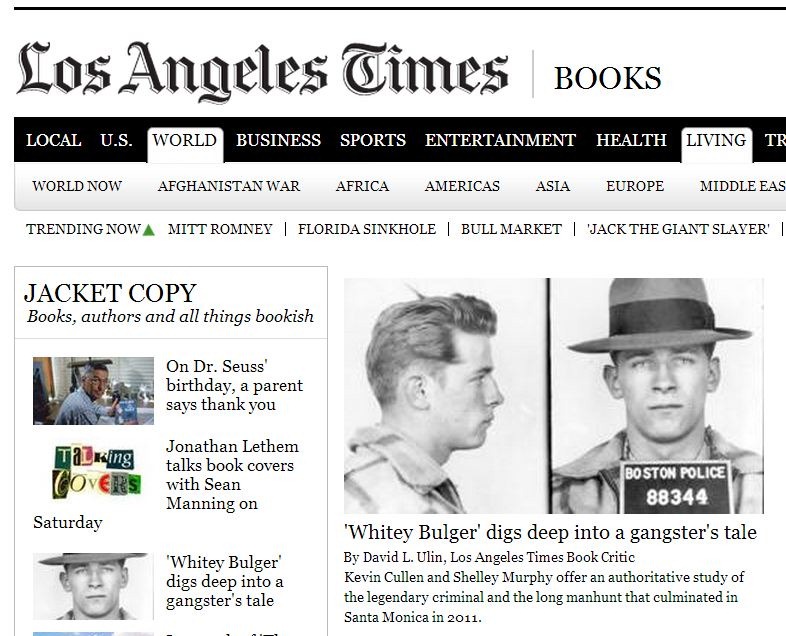
I started noticing the Los Angeles Times when Zite frequently sent me there to read book reviews.  Zite is a tablet app that does for article reading what Pandora does for music.  You thumbs up and down what you read and Zite finds more of what you like.  The LA Times evidently is writing more of what I like to read.


Cv1v3__06CV0

The Smithsonian

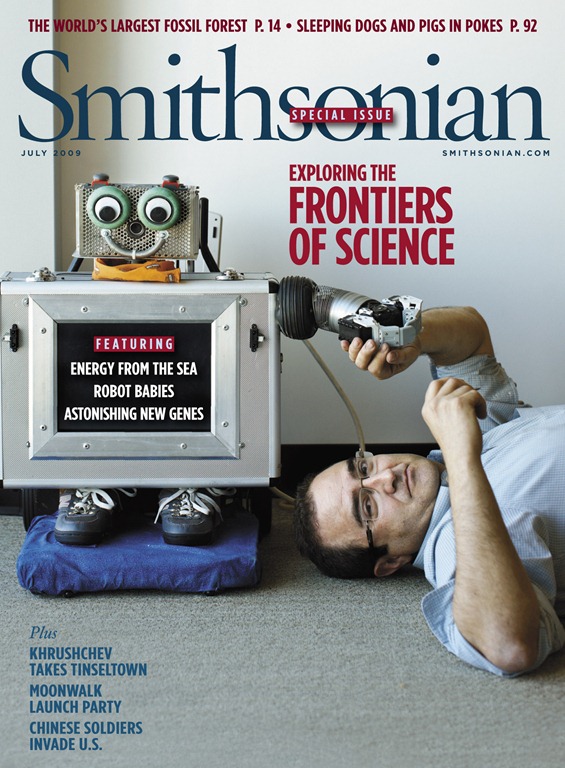
I can’t figure out if content for The Smithsonian is blocked or if they just end every article with “subscribe now for more coverage” to scare you into thinking there’s more to be had if you plunk down some dollars.  I keep finding plenty of free stuff to read.  Fascinating stuff.  Actually, more great stuff to read even if I read 24×7.  Here is the listing for the last March, 2013 issue.  And here is the start of the archive section.


the-guardian

The Guardian

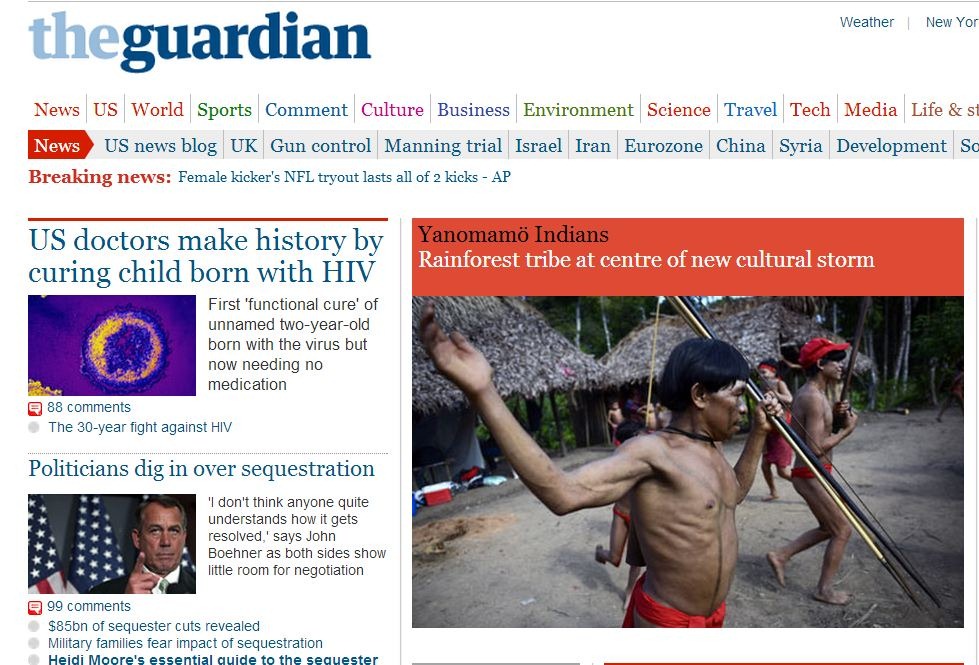
The Guardian is another newspaper that Zite often takes me to.   Zite and Google links me to foreign newspapers, which is one of the great pluses of the world wide web.  Zite knows I love book reviews and both the LA Times and The Guardian reviews a lot of books.


brain-pickings

Brain Pickings

Brain Pickings isn’t a commercial newspaper or magazine, but it’s so professional that it should be.  Maria Popova is a professional writer who has created a beautiful web site that she calls “human-powered discovery engine for interestingness.”  Brain Pickings is classy blog written by a professional writer with amazing graphic design skills.  I wish Auxiliary Memory was 1/100th as good.


edge

Edge.org

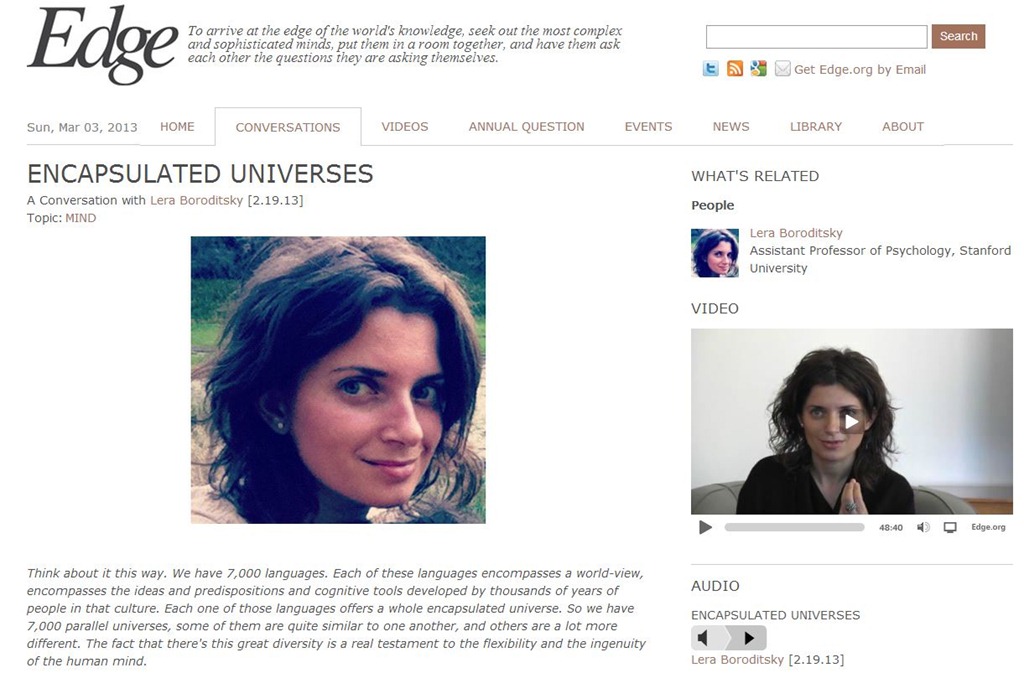
John Brockman’s Edge.org is where the world’s smartest people hang out.  The site is built around conversations with cutting edge thinkers, but it also focuses on the latest science books.  The conversations are often a narrative overview of a current project.  Edge.org is not a newspaper or magazine, but the quality of content is so great that it competes well with professional journalism.  The contributors are major science writers and philosophers, writing about research on the front lines of new knowledge.


Most sites on the web are free.  It’s hard to imagine that pay sites can compete with so much quality free content.  My six favorite sites are just a drop in the gigantic WWW bucket.  My goal is to find the right mixture of reporting that gives me the best puzzle pieces for mapping reality.  All too often we read news that is immediately forgotten.  I want to read articles that educate me with a lasting impact.  In fact, I often think reading less on the internet is better.

Like junk food with empty calories, the web is full of junk data and empty facts.  Brilliant articles that are available for all to share should have a great impact on our society.  It used to be people had to buy books and journals to get quality information.  Now all seven billion of us have access to a tremendous amount of free knowledge.  We can all be renaissance men and women.  The quest is to find the needle in the haystack article to read each day that makes a lasting impression.

Tools like Zite let me quickly review 20-30 newly published articles each day, out of thousands.  But the real goal, is to find the single article that’s worthy of study, contemplation and memory.

However, there is a problem with this system.  It only gets me the free articles.  What if the best articles still cost money?  Is the best knowledge being shared today, or withheld?

JWH – 3/3/13
The Best Books of 2012- The List of Lists

If you wait long enough on the Internet, someone else will write the blog you dream of writing.  Every year I think about gathering all the Best Books of the Year lists and putting them into a database.  That’s a lot of work.  So this year I configured a Google Alert to notify me whenever someone published anything on the Internet entitled Best Books of 2012.  I figured sooner or later someone else will have compiled my mega list.

I was right!  The folks over at the Williamsburg Regional Library compiled a spreadsheet with 12 categories of recommended books.  Each category ranks the books that were on the most Best Books of 2012 lists.  They asked that bloggers not link to the results, but to their blog that explains everything.  So click on All the Best Books Compilation (ABBC) 2012, First Edition.  Ah, and it even appears it will be updated, because this spreadsheet is called the first edition.   Williamsburg Regional Library used 175 different Best Books of 2012 lists.  See the 13th tab at the bottom of their spreadsheet called Sources.  Their spreadsheet even include hyperlinks to the original best of lists.  This will provide an orgy of reading about the best books of 2012.

Their General Fiction – Novels list, Billy Lynn’s Long Halftime Walk by Ben Fountain got on 27 different Best Books of 2012 lists, and that’s a book I don’t even remember hearing about, reading about or seeing at the bookstore.  However, the second book on the list, and on 19 best of lists, is Beautiful Ruins by Jess Walter.  I saw reviews of it everywhere, and I’ve already read it and can highly recommend it.  If I created a Best Books of 2012 list, it would be right at the top.  Book number 3, also on 19 lists, is The Round House by Louise Erdrich, who my friend Linda has been recommending.  Luckily, my wife bought it this weekend.

At the top of their Speculative Fiction list is The Age of Miracles by Karen Thompson Walker that I read when it came out and loved.  Third on the list is The Dog Stars by Peter Heller, which I also read and loved.  It’s always fun to discover great books when they come out.

At top of the YA List is The Fault in Our Stars by John Green.  I bought it, and my wife has read it, and I hope to get to it soon.

And I’ve read or bought several top non-fiction titles, however, I’ve been avoiding the most acclaimed non-fiction title, Wild by Cheryl Strayed, which is on 28 best of lists, ten more than Passage of Power by Robert Caro, which I’ve bought but haven’t read.  Being on 28 recommended lists makes me feel like I should overcome my prejudice and give Wild a try.

The fact that the new books I loved the most last year were the ones on the top of these lists say quite a lot about the value of this tabulation list.  Books on five or more best of the year lists are almost guaranteed to be great reads.  And I wonder if I’m cheating myself if I don’t read books that were on ten lists or more.  There were many books on just one list, or two.  And those books might be great too, but their success are probably determined a lot more by personal tastes than overall excellence.

I’ve always asked my friends, why read any book when you can read a great book?  The trick is finding the great books.

If you love books, visit the Williamsburg Regional Library link and download their spreadsheet.  You will need Excel or a clone to read it.  Also visit their site for lists from previous years, 2008-2011.

JWH – 3/2/13

Kindle Magazines FYI

Last year I started subscribing to several magazines at the Kindle Newsstand and read them on my iPad.  For $1.99 or $2.99 a month, it’s very easy to try out a magazine.  Then towards the end of the year I realized I wasn’t reading these magazines and cancelled my subscriptions.  I figured I’d wait until I had time to read, then go through the back issues and decide if I really wanted to subscribe again.  Well, today I went to look at some of the back issues and they wouldn’t download.  I got a message “License Limit Reached.”

At first this message seem to imply that I had too many registered devices.  I have two iPod touches, two e-ink Kindles, one iPad, one Kindle cloud reader, and six different PC readers.  I deregistered everything but one touch, two Kindles and one iPad.  Still got the message.  So I called Amazon.  The first lady I talked to was very nice, but she eventually bumped me up a service level.  The second lady knew exactly what my problem was.  If you cancel your subscription, but haven’t downloaded the magazines you bought to a device yet, you will get the license limit reached error.

I told her I felt I had bought those magazines and assumed I’d always have them.  She said unfortunately, that’s not how the system works with the licensing agreement they have with the magazines.  I didn’t think that was right, but the lady I was talking with was very nice, and I assumed she was stuck with this policy, so it wasn’t Amazon’s fault.  The helpdesk lady did apologize and gave me a token credit.

FYI:  always download your magazines from the cloud to your devices before you cancel your subscription.    And I noticed that I didn’t have this problem with my old issues of The Rolling Stone Magazine.  I had just re-subscribed to it.  But then I couldn’t remember I had previously downloaded all those issues.  So just for kicks, I re-subscribed to The New York Review of Books, and viola, my old issues were again available to download.

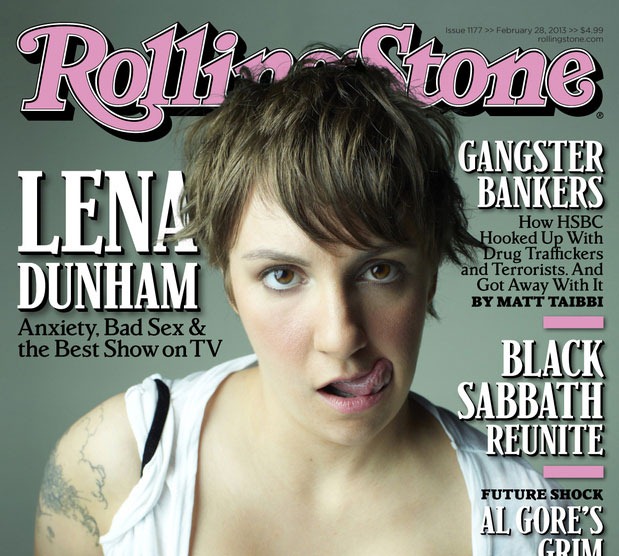
rollingstone

Crazy Subscription Pricing

I read on the iPad with the Kindle reader to save trees.  It just ecological.  Also, you can try a magazine without buying a whole year’s worth.  Most magazines at the Kindle Newsstand are available for a monthly fee.  But pricing is crazy.

Yesterday, at my favorite bookstore, I saw an issue of The Rolling Stone Magazine I wanted to read.  It was $4.99, plus tax at the book store.  It’s $1.99 a month at Amazon, which means I get 2 issues for $1.99, a savings of $8 over the newsstand price of two issues.  26 issues is $19.97 a year via a paper subscription – or 77 cents an issue.  So I’m paying Amazon $23.88 a year for the electronic version, or 92 cents an issue.

So the cheapest way to get The Rolling Stone is to buy the paper copy and have them mail it to you.  How is that even possible?  I’m paying them $4 a year more not to print the magazine and mail it to me.  Not only that, but if I subscribed to the paper copy I’d be eligible to read the entire archive of back issues online.  This is a conundrum for me.  I want to be ecological.  A lot of carbon goes into printing and mailing, and that makes me feel guilty about the physical copy subscription.  But for $4 less money I’d get the digital archive!  That’s so tempting.

You’d think they’d charge less for the Kindle edition because there’s no printing or postal costs.  Maybe Amazon’s cut requires the increase, yet Amazon also sells the paper subscriptions for $19.97, just two cents more than Rolling Stones does with it’s fall out cards in the mag.

The New York Review of Books is $41.88 yearly at the Kindle Newsstand at $3.49 a month, but it’s $69.00 a year at their site, or $74.95 a year for the paper and online edition. So Amazon is a bargain, except once again I don’t get access to the digital archive.  I’d rather pay less and read The New York Review of Books on my iPad, but I sure would love access to the digital archive.

The Future of Magazine

It seems obvious that we’re moving toward a digital future.  Why waste all that money on printing and postage when magazines can be instantly delivered.  To me the perfect magazine subscription would be the cheapest with the least commitment, along with access to the entire archive of the magazine’s history.  I’m willing to pay a monthly fee for new and old.  What I’d really love is paying a monthly fee like Netflix’s and get access to a bunch of magazines.  Next Issue does offer such a service now for $10-15 a month, but they don’t have the magazines I want to read.  It’s like cable TV, 200 channels and nothing to watch.  I’m currently subscribing to two magazines that totals $5.48 a month.  If The Rolling Stone and The New York Review of Books were available at Next Issue along with 1-2 other magazines I wanted, then $10 a month would be a good deal.  I’d need 5-6 magazines I really wanted to make it worth $15 a month.  I’ll keep my eye out on Next Issue, but for now it seems weight towards women’s magazines.

JWH – 2/24/13

Why Can’t We Be Good When We Know What’s Bad?

I’ve been reading about how our western diet is spreading around the world and bringing obesity, diabetes, hypertension and a host of other non-infectious degenerative diseases to people who used to eat differently, and lived healthier.  It’s quite obvious that our high fat, high sugar, high salt, high calorie diets are bad, so why don’t we eat better?  Why can’t we be good when we know what’s bad?

We just can’t seem to resist sweet, salty and fatty foods when they are in abundance.  Generally, where humans are thinner, more active, with little diabetes and hypertension its because they didn’t have a whole lot of food choices to begin with.  The western diet is really one of abundance and variety, and people around the world if given the opportunity to eat like us, become pigs like us.

My question is:  Why can’t we say no?

I have no answer.  I weigh 240 pounds.  I certainly can’t say no.

Actually, that’s not completely true.  I’ve given up many favorite foods over the years, and I still gained weight.  I do eat healthier, but I don’t eat less.  I am driven by hunger.  I can’t say yes to being hungry.

I keep eating more than I should knowing that I will suffer degenerative diseases in the future.  That’s insane.

I find this philosophically fascinating.  Obviously the rational mind has little influence over the physical body and the hormones that regulate it.

What if science could create a pill that makes us shun desserts, fatty foods, fried foods, salty foods, etc., and made us crave just the right amount of healthy foods, would you take that pill?  What if this pill made food a non-issue, so you just ate exactly what your body needed to be healthy.  Would you take that pill?  It might kill off gourmet eating, fast food, candy, pastries, soft drinks, and all the other stuff we so love.

Yeah I know, you’re thinking, “Why can’t what’s bad be good?”  See that opens up another philosophical question.  What if bad food is what we want.  What if bad food is what makes life good?   That’s easy to believe, but remember the heart disease and diabetes?  Remember all the obese children and young adults?  Brownies and Ben & Jerry’s Ice Cream are evil.

What if our current stage of humanity is a paradigm shift like going from hunter and gatherers to an agricultural society?  Humans have always pretty much eaten anything they could put in our mouths that didn’t kill us.  That’s why we’re called omnivores.  But what if we’re moving into a new phase of existence where we must become healthyvores?  Can our species make the transition?  If I had a time machine and could jump ahead a hundred years, or five hundred years, would I find homo sapiens 2.0 living a much longer and healthier life?

I don’t know.  It’s something to think about.  I’m not sure we can always change, to always evolve.

JWH – 2/18/13

Spending a Pleasant Sunday Afternoon Ripping LPs with Audacity

Sometimes, it’s just pleasant to to putter around the house, doing small tasks.  Getting little jobs done, checking them off the To Do List, provides a nice sense of accomplishment.  One task I’m working on this afternoon is recording LPs to MP3 files.  My goal is to hear my album music on Amazon Cloud Player.  I’ve recorded some favorite albums before, but it wasn’t until I discovered a long forgotten album, On the Flip Side, by Ricky Nelson lurking among my Amazon Cloud Player albums that I realized how much I appreciated having my vinyl on the Internet.

The Internet is such an odd driving social force.  It make us want everything at our fingertips.  For decades I only had once place to play my music.  As a kid, it was in my bedroom, but after I got married, it was my living room.  Now I can listen to a lifetime of music anywhere I have network access.  When I got back into LPs I found I enjoyed the old ritual of playing albums on my stereo system.  That was very satisfying.  Shopping for albums and having friends come over and listening to records was very retro, very nostalgic.

Alas, the modern world is so relentless.  In recent months, the time I play music the most is between 4am and 6am, when I have a bout of insomnia.  Pretty funny huh?  Strange time to rock out, but surprisingly, it’s a good way to start the day, or even to add a soundtrack to those early morning dreams if I’m lucky enough to drift back to sleep.

I keep my iPod touch and a pair of headphones by the chair I sleep in.  (Long story, but I sleep in a chair.)  If I wake up early, or stay up late and can’t get to sleep I call up some tunes.  Either from my favorite playlists on Rdio, or from the Amazon Cloud Music Player.  Being in a semiconscious state is a wonderful time to listen to music.  Sometimes I fall back asleep and even wake up again floating weightless in a sphere of music.  Pretty damn cool.

Learning to convert LPs, or even cassettes,  to MP3 files is not that hard.  Audacity is a free software program that works on PC, Mac and Linux.  The trick is to get your turntable connected to the computer.  You can even buy turntables designed for working with computers.  Older turntables require a preamp.  You can buy cheap ones for under $20, or spend a fortune if you’re a audiophile.  Newer turntables have a built-in preamp, and the latest turntables are specifically designed to work with computers by having a USB jack and cable.

I set up an old turntable on my desk that allows me to play LPs through my computer speakers while I work.  When I want to record an album, I just launch Audacity.  You also to get LAME to export to MP3, an auxiliary program, but it’s free.  The export feature on Audacity will link you to it.   All this can be a bit technical to get going, and instead of me going through all the steps I’m just going to link you to some very fine tutorials.  Just remember, the setting for bit rate is in the File|Export menu that calls up LAME.  I use 256 kbps.  LAME’s default is 128 kbps.

Here’s a video tutorial where the guy is using his receiver for the preamp.  The setup is much simpler if you have a turntable with a built-in preamp, or USB output.

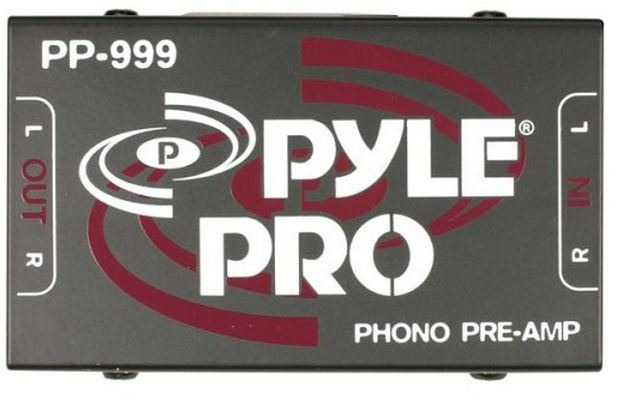
I bought a preamp from Amazon for my old turntable.  It looks like this and is currently $17.14.

preamp

The sound quality would be superior if I used a superior preamp or good receiver, but I find this little cheap gadget works well enough for me.

The simplest setup is a turntable with USB and a laptop.  Next easiest is a turntable with built-in preamp.  You’ll need an adapter with 2 RCA inputs that converts to a mini stereo jack that plugs into your line-in.  After that involves adding a portable preamp like I did.  After that, you can use an existing receiver using your tape out RCA jacks to mini stereo jack.

I’m a lazy LP recorder.  I record a whole side and end up with two MP3 tracks for each albums.  Side 1 – Album Name, Side 2 – Album name.  I store these in My Music folder, under a folder named for the artist, and then another folder named after the album.  If you want to record each song separately, you can record the entire album, using pause between sides, and then use Audacity’s editing feature to pull out each song and export it separately with the track name.  Some people get very fancy and save the recording as WAV files, and then burn a CD.  As you learn and play with Audacity you’ll see all kinds of possibilities.

I also use a similar setup with a tape deck to convert old audiobooks to MP3.

After a recording session, I run the file upload program for the Amazon Cloud Player and my songs are added to my library.  Tomorrow, in the middle of the night, I can call them up.

Audacity is fun to play with.  Think of it as a word processor for sound.  If you have a microphone you can even record and edit your own speeches, or if you have a digital sound recorder, interview people and later edit the files.  I’ve helped people who do oral history to clean up their files.  Audacity does take a bit of learning, but isn’t that hard.  I helped a 70 year old lady who was very computer phobic use Audacity because she had about twenty hours of interviews with a man who constantly cough.  Audacity let her take out all the coughs, and clean off the white noise that was in the background.  Her final product was published as an oral history without the constant cough and annoying background noise.

I don’t buy many LPs anymore, just the ones that aren’t available on CD.  I use MusicStack.com to find out of print LPs, like the 1971 LP Never Goin’ Back to Georgia by The Blue Magoos.  Audacity can look intimidating, but it doesn’t take too long to learn.  It can be annoying if you can’t easily configure it to your computer.  Most of the time the default install finds your soundcard and speakers and everything is copacetic.  If you have a motherboard soundcard and an added PCIe soundcard, you might need to select the right device.

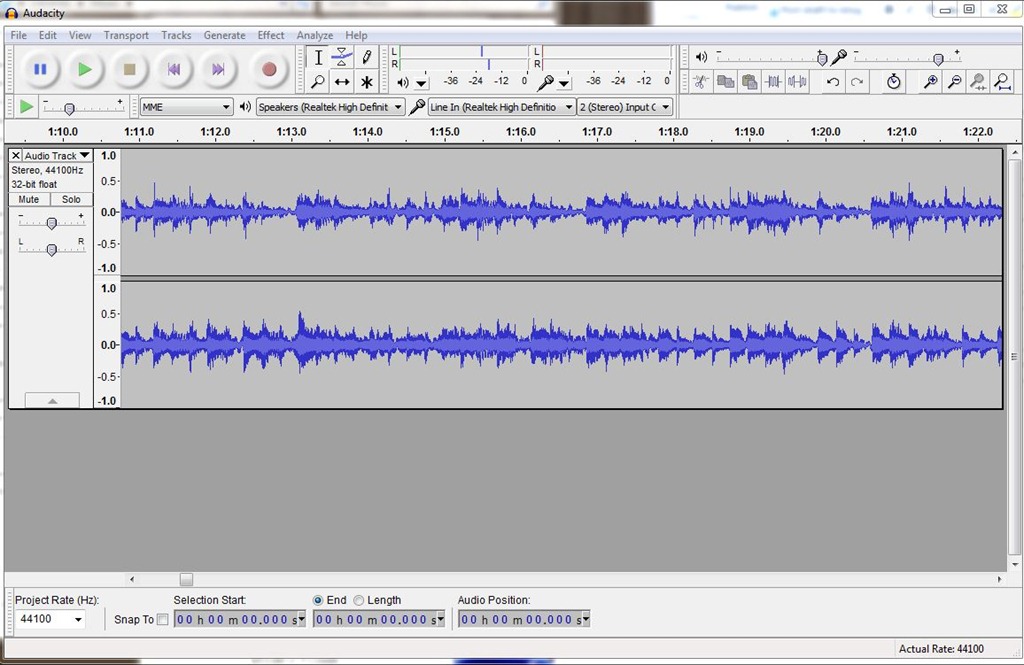
The Audacity interface looks like this:

audacity-screen

Depending on your level of audio fanaticism, you can use Audacity to clean off pops and hiss.  I’m lazy.  My recordings sound like I’m playing an album, and that doesn’t bother me.  I does seem like a minor miracle to put an album on, record it, and then play it by clicking on a file name.

Like I said at the top of the page, I like puttering around with little jobs.  I like scanning photos to .jpg, or scanning old documents to .pdf.  I like organizing my files into filing systems.  I like recording LPs and cassette audio books.  Slowly all my life is ending up in Dropbox.

JWH – 2/17/13